
Hero Health changelog
New for prescriptions: Send to pharmacy
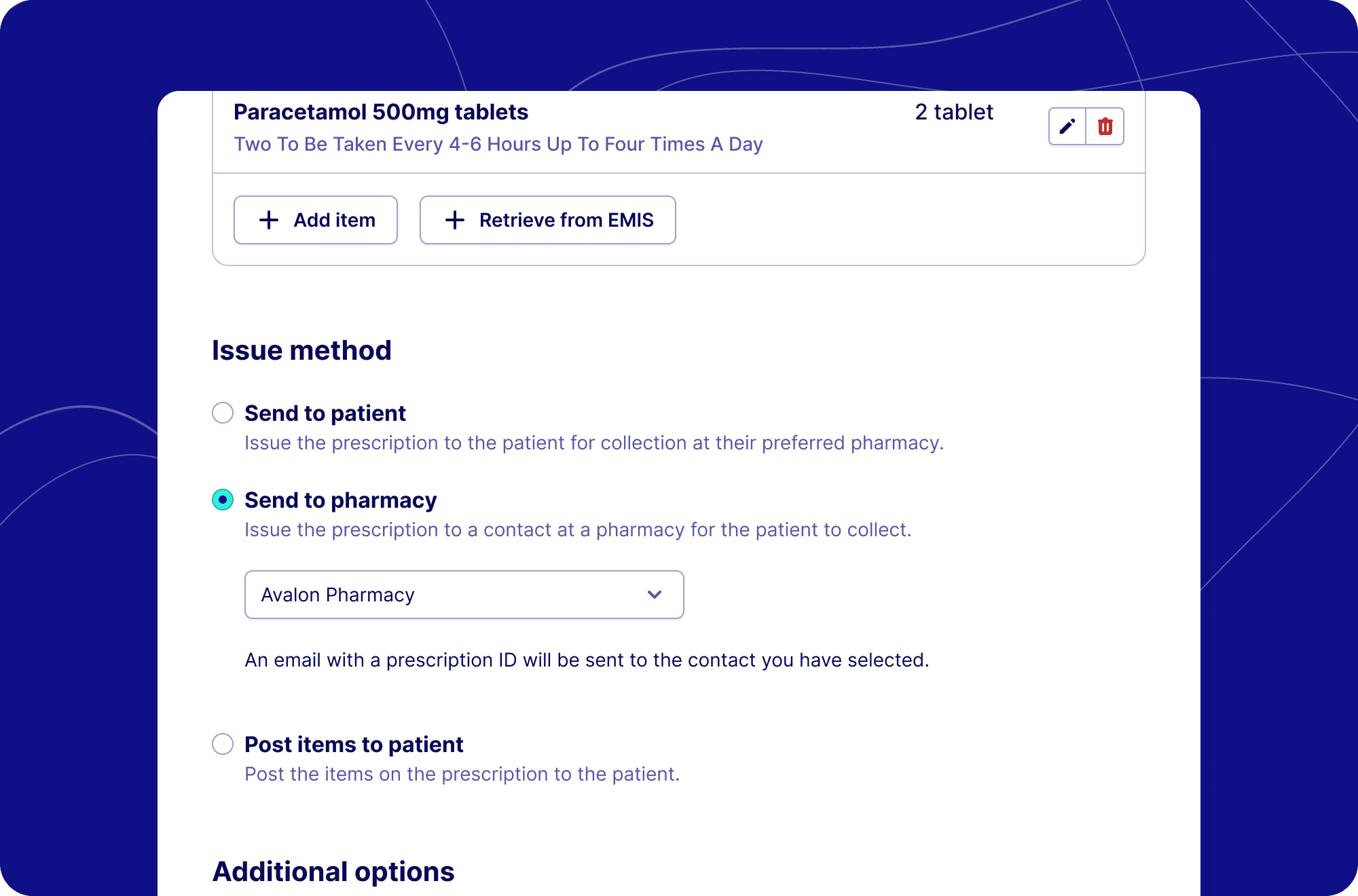
We're excited to announce the launch of our new "Send to pharmacy" functionality within the prescription builder in Hero. This feature streamlines the prescription process by enabling direct electronic transmission of issued prescriptions to pharmacies.
The Send to Pharmacy feature allows clinicians to:
Send prescriptions directly to pharmacies via email
Access saved pharmacy contacts from your Clinic SignatureRx account
Create and save new pharmacy contacts on-the-fly
Receive clear confirmation of prescription delivery
How It Works
Choose Delivery Method: Under "Issue Method" at the bottom of the screen, select the new "Send to Pharmacy" option.
Select 'Send to pharmacy':
Choose from your pre-saved pharmacy contacts
Or create a new pharmacy contact by entering:
Pharmacy name
Email address
Mobile number
Complete the Process: Issue the prescription by entering your prescriber PIN.
Confirmation: The system displays delivery confirmation showing the send method, destination, and recipient details.
What does the pharmacy see?
When a prescription is sent, the pharmacy receives an email containing:
Patient Name and Date of Birth
Unique Prescription ID (format: SRX382A5DDDD62C)
Clear instructions for online dispensing
Steps for pharmacies:
Access the prescription at signaturerx.co.uk using the provided link
Review patient and medication details
Dispense the prescription according to standard protocols
Click "Mark as dispensed" to prevent duplicate dispensing elsewhere
For clinical questions, contact the prescriber using the details on the prescription
Benefits for pharmacy teams
This new feature brings significant efficiency improvements for pharmacy teams:
Immediate notification: Prescriptions arrive in real-time, allowing for faster preparation and dispensing
Reduced administrative burden: Eliminates the need for paper handling and manual prescription entry
Improved patient experience: Shorter wait times and more reliable medication availability
Enhanced Workflow Integration: Seamlessly connects prescribing clinicians with dispensing pharmacists
Better Inventory Management: More visibility into incoming prescriptions helps with stock planning
Reduced Errors: Clear digital records reduce transcription errors and misinterpretations
Getting Started
This feature is now available to all users with the SignatureRx app within Hero. No additional setup is required - your existing Clinic SignatureRx contacts will automatically be available in the new interface.
For assistance with the Send to pharmacy feature, please contact our support team at [email protected].