
Hero Health changelog
Weekly Changelog: 02-Oct-2026

Improvements
Appointment availability kept up to date further ahead. Appointment availability is now refreshed from your EHR for the next 90 days for every practice, and for many practices the next few days are refreshed every minute. This means patients see more current slots when booking online, including further into the future.
Faster loading for Hero tools in the admin app. Pages that include the message builder, patient dashboard and other built-in Hero tools now load them sooner, particularly on slower connections.
Options that match your permissions. Across the inbox, message builder, patient dashboard and quick consult, actions your role doesn't allow (such as saving to the record or adding a SNOMED code) are now hidden, or shown as unavailable with an explanation. This means you only see the options you can use.
Navigation badges stay current. The open tasks and unregistered appointments counters now refresh when you visit the inbox or appointments pages. The unregistered appointments counter is now only shown to practices with an active EHR connection.
Fixes
Failed bookings now show in your inbox. If a booking can't be completed in your EHR, the alert now appears in your inbox rather than being grouped with unconfirmed appointment tasks, so your team can follow up.
Booking confirmation emails use current contact details. When a patient books through our patient facing services, Hero now refreshes their contact details from your practice's preferred source if the record hasn't been updated for a couple of days. Confirmation emails are then sent to the patient's current email address.
Inbox badge counts load reliably for larger practices. The tab counts in the inbox sidebar no longer time out for practices with a large number of open episodes. They still refresh every minute and show 99+ above that.
Retrieve from EMIS shows attachments straight away. For EMIS practices, opening Attach > Retrieve from EMIS in the message builder before choosing a contact method now lists the patient's attachments, rather than showing "No attachments found".
No more duplicate appointment SMS alerts. Practitioners no longer receive the same appointment SMS alert twice.
Patient search results stay open. Clicking the Search button in patient search no longer closes the results before you can choose one.
Bookings less likely to be delayed at busy times. For EMIS practices, bookings are no longer held up behind availability updates during busy periods.
Changelog: 25-Sep-2026

Here's a round-up of what changed in Hero this week.
Improvements
More up-to-date appointment availability. We've increased how often appointment availability is refreshed from your EHR for many practices, so patients see more current slots when booking online.
Clearer patient search when your EHR is slow. Patient search now gives your EHR longer to respond, tells you clearly if the EHR can't be reached, and labels any results found in Hero as Hero's. This means you're no longer told a patient isn't registered when the EHR simply took longer to answer.
A clearer message when a page is slow to load. If a page takes too long, you'll now see a Hero page with a retry link and a support reference, rather than a generic error. Patients who see this page are no longer pointed to Hero's support inbox.
Fixes
Changes to EMIS-led appointments stay in step. For EMIS practices, booking, rebooking, cancelling and rescheduling EMIS-led appointments from Hero no longer creates duplicate slots or leaves the diary out of sync with EMIS.
Faster page loads for larger practices. We're continuing to fix slow loading on some busier pages, including communications. The open tasks and system notifications badges now stop counting at 100, so pages load reliably for practices with a large number of open episodes.
Questionnaire edits save correctly. Editing a questionnaire now saves as expected when a question's conditional logic refers to a question that has been deleted.
Hero bookings: EHR-first confirmations
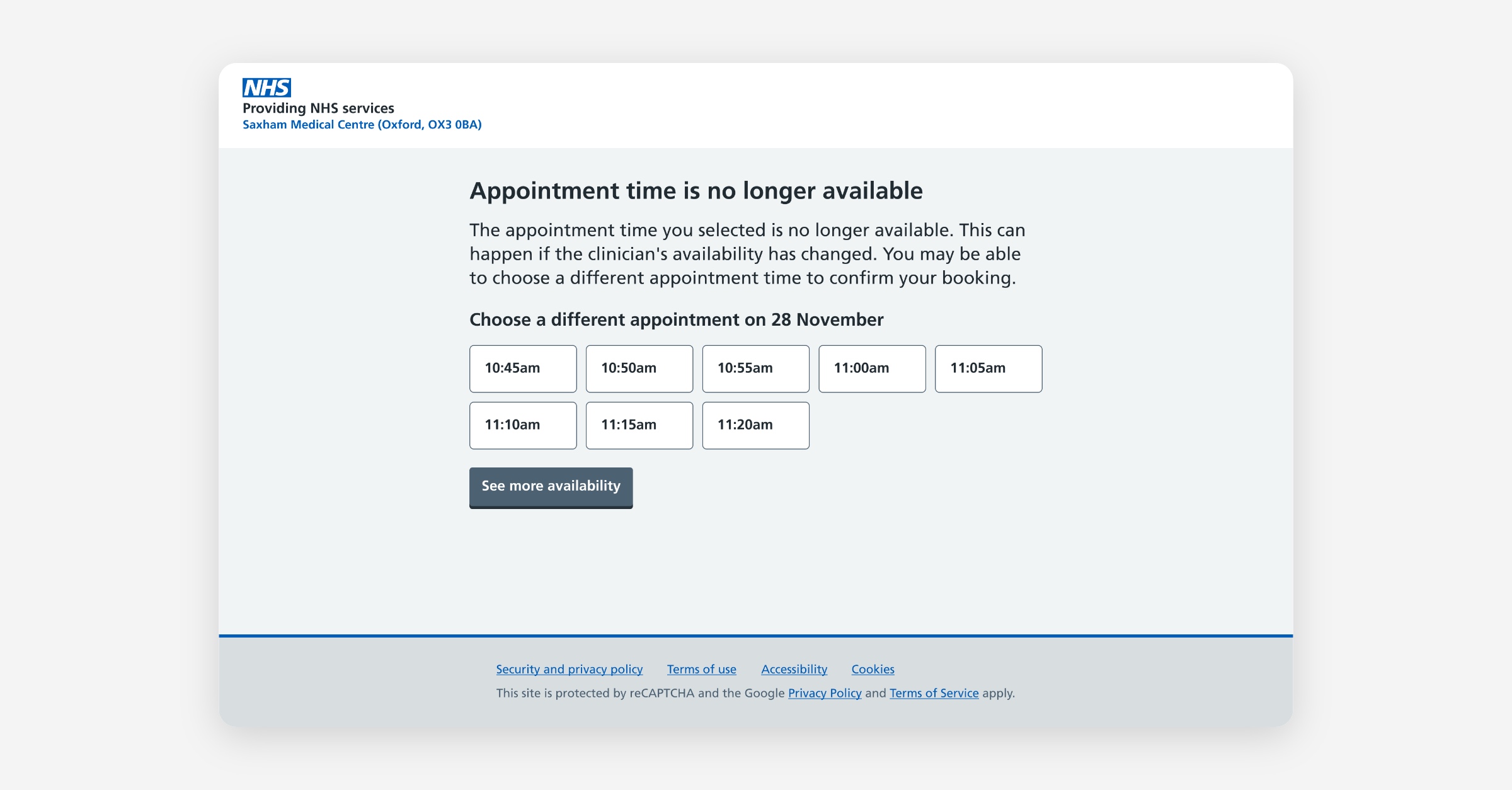
We've changed how appointment bookings, reschedules, and cancellations are confirmed for NHS practices & services. From this release, an appointment is only marked as confirmed once it exists in your EHR. And if something can't be completed, we guide the patient through what to do next, so it doesn't end up as a surprise for your team.
What's changing
Previously, a booking showed as confirmed the moment Hero accepted it, with the EHR sync happening afterwards in the background. That worked most of the time, but it meant a confirmed booking didn't always exist in your EHR yet. When the sync failed, the result was an incomplete booking: a patient who believed they were booked, with no matching appointment for your team to see.
Now, a booking is only confirmed once your EHR has confirmed it. If it can't be completed, it's never shown as confirmed, and the patient is told what to do next.
More reliable confirmations
When an appointment shows as confirmed, it's genuinely in your EHR. That closes the gap where a patient thought they were booked but nothing reached your system, so your front-desk team can trust what they see.
Fewer incomplete bookings, less chasing
Because a booking only counts as confirmed once it's in the EHR, the incomplete booking scenario (confirmed in Hero, missing from the EHR) goes away. For your team that means no more patients arriving for appointments you can't find, and no reliance on after-the-fact reports or email alerts to catch bookings that didn't sync.
Patients are never left wondering what to do
If a booking, reschedule, or cancellation can't be completed straight away, the patient is guided through it rather than left guessing:
While the booking is being confirmed, they see clear progress, and if it's taking longer than usual, a message letting them know that rather than wait, they can choose to be notified by email once there's an outcome.
If it succeeds, they're told, with their confirmation details.
If it can't be completed, they're told what's happened and given clear next steps, so they don't simply turn up or call the practice.
The same applies to reschedules and cancellations, so a patient always knows where they stand.
What you need to do
This is handled automatically for NHS practices & services using Hero, and applies to appointments booked through Hero and the patient booking experience. You'll simply see more accurate confirmations, and fewer bookings landing that were never really booked.
Save to Record: clearer records, better visibility, more reliable
We've rebuilt how Hero writes clinical entries to EMIS and SystmOne. The information saved to the patient record is the same, but how it's structured, labelled, and presented has been significantly improved.
What’s changed?
Readable entries in EMIS Care History
Previously, every Hero entry in the EMIS Care History tab appeared with a generic "SNOMED codes" label and no readable term. In this update, the actual SNOMED clinical term is written to the record. Hero entries now display with a descriptive name (for example, "Influenza vaccination invitation short message service text message sent") and are searchable alongside entries from other clinical systems.
Structured Clinical Safety block
Every entry now starts with a clearly labelled metadata header: record type, who it was sent to, contact details, who saved it, when, and a unique WriteToRecordID that links back to the specific action in Hero. This supports clinical audit and makes it easy to trace any record entry.
Clearer content layout
Message content, form responses, and consultation notes are now presented in separate, labelled sections rather than a single block of text.
Real-time save status in the inbox
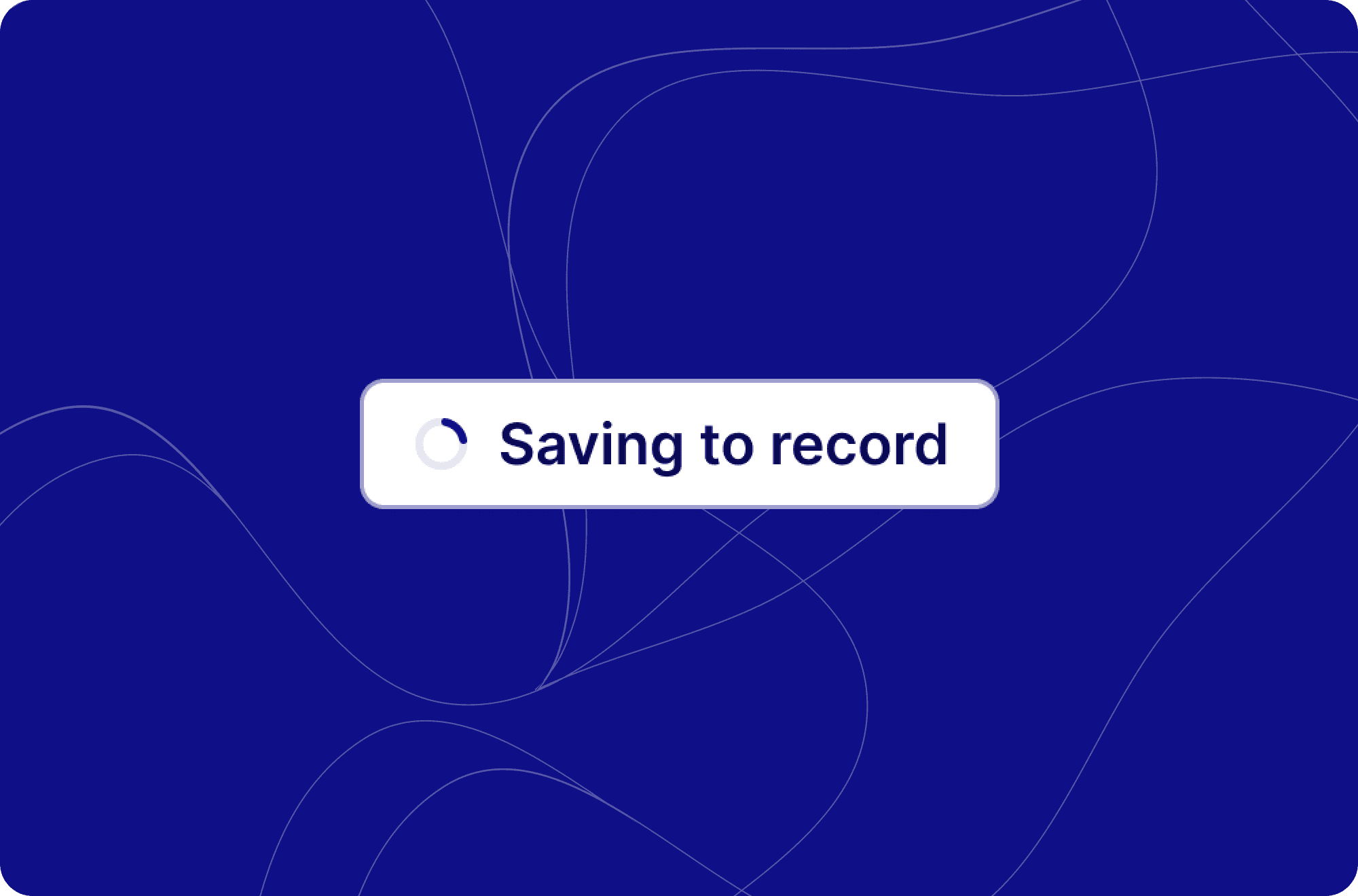
When you click Save to Record, the button now locks immediately and shows a live status: "Saving message to record", then "Saved to record" (green) or "Failed to save" (red). If you navigate away while a write is in progress and come back, the status reflects the real outcome rather than resetting. No more clicking Save to Record a second time because it looked like nothing happened.
Automatic retries
If a write fails due to a temporary connection issue, Hero now retries automatically (up to five attempts) before raising a failure notification. This reduces unnecessary failure alerts in your inbox for transient problems.
Nothing changes about how you use it.
The Save to Record button, the toggle in the message builder, and the inbox notifications all work exactly as before. All new writes use the new format. Existing entries already in your EHR remain in their original format and are not changed.
Feedback and questions
Please let us know if you have any questions or feedback on the updates! Let us know the WriteToRecordID associated with your questions as specified bellow':
Each entry now includes a unique WriteToRecordID in the Clinical Safety block. If you ever need to query a specific record entry, sharing this ID with Hero support allows us to look up exactly what was written and when.
Inbox: Multi-task episodes & inline messaging
A faster, more connected way to manage patient conversations.
What's new for inbox users
💬 Message without leaving the episode
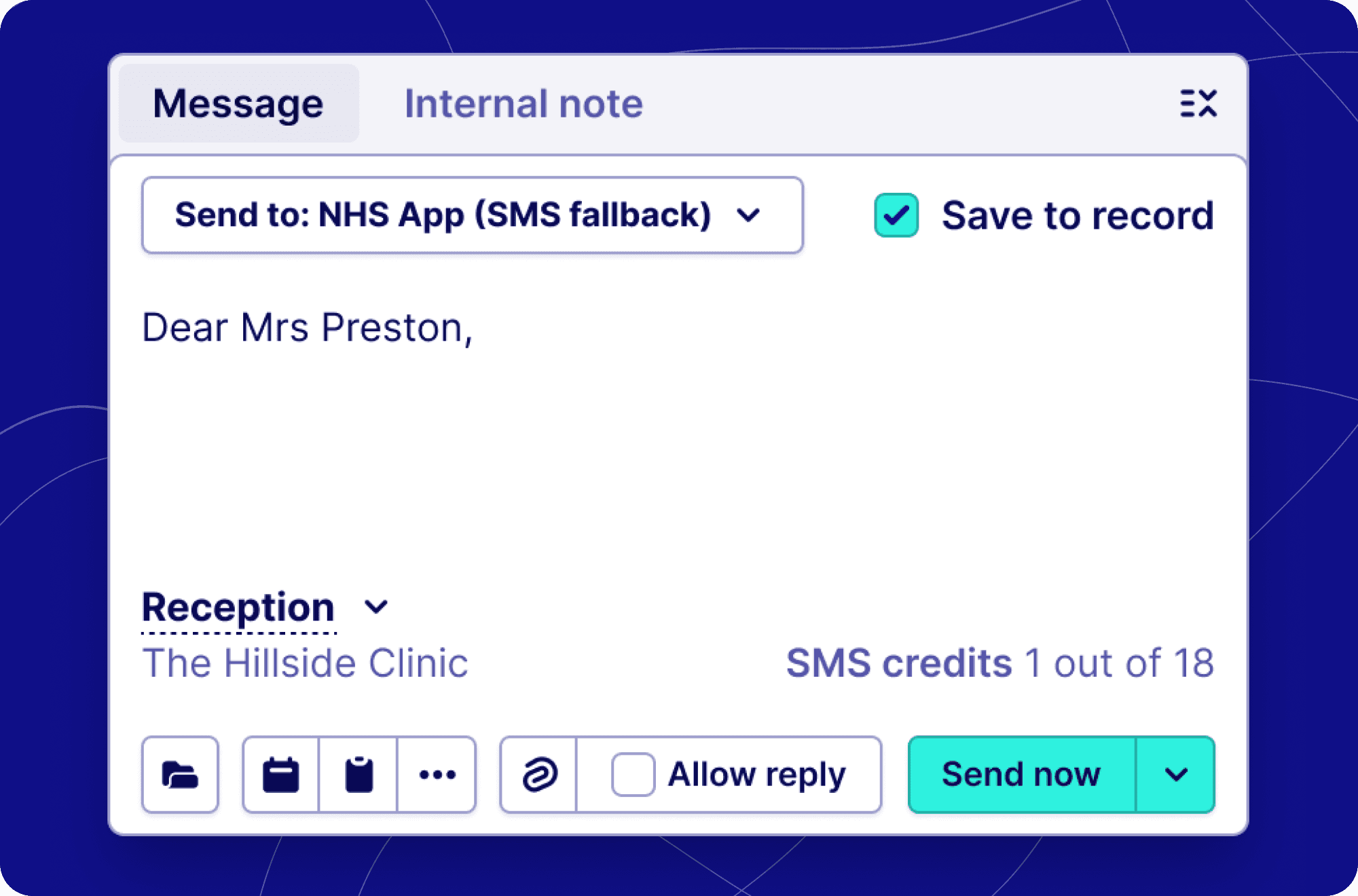
Sending a patient a message used to take you away from the inbox entirely — now it doesn't. The message composer is built directly into the bottom of the episode panel, so you can write and send messages while keeping the full patient conversation in view above you.
What's different day-to-day:
No more navigating away to a separate page to send a message
You can read the patient's history and compose your reply at the same time
Everything you're used to is still there — templates, attachments, and contact method selection — just in one place
Messages you send appear immediately in the episode timeline, keeping the full picture in one view
🧠 Behind the scenes: smarter task handling
You may not see this directly, but a number of improvements have been made to how the inbox handles work created by messages. When you send a patient a message containing a booking link, a form, or a reply prompt, the inbox now creates and tracks each of those as separate items — meaning nothing gets lost, and the right task lands in the right inbox view at the right time.
If a patient books an appointment, cancels, reschedules, or submits a form in response to your message, the episode will automatically re-surface in the inbox so it doesn't fall through the cracks.
📁 Everything is now captured in the episode timeline
Every interaction with a patient — messages sent, forms completed, appointments booked or cancelled — is now recorded directly in the episode. You get a full, chronological picture of what's happened without having to piece it together from different places.
🔄 How sending a message now works
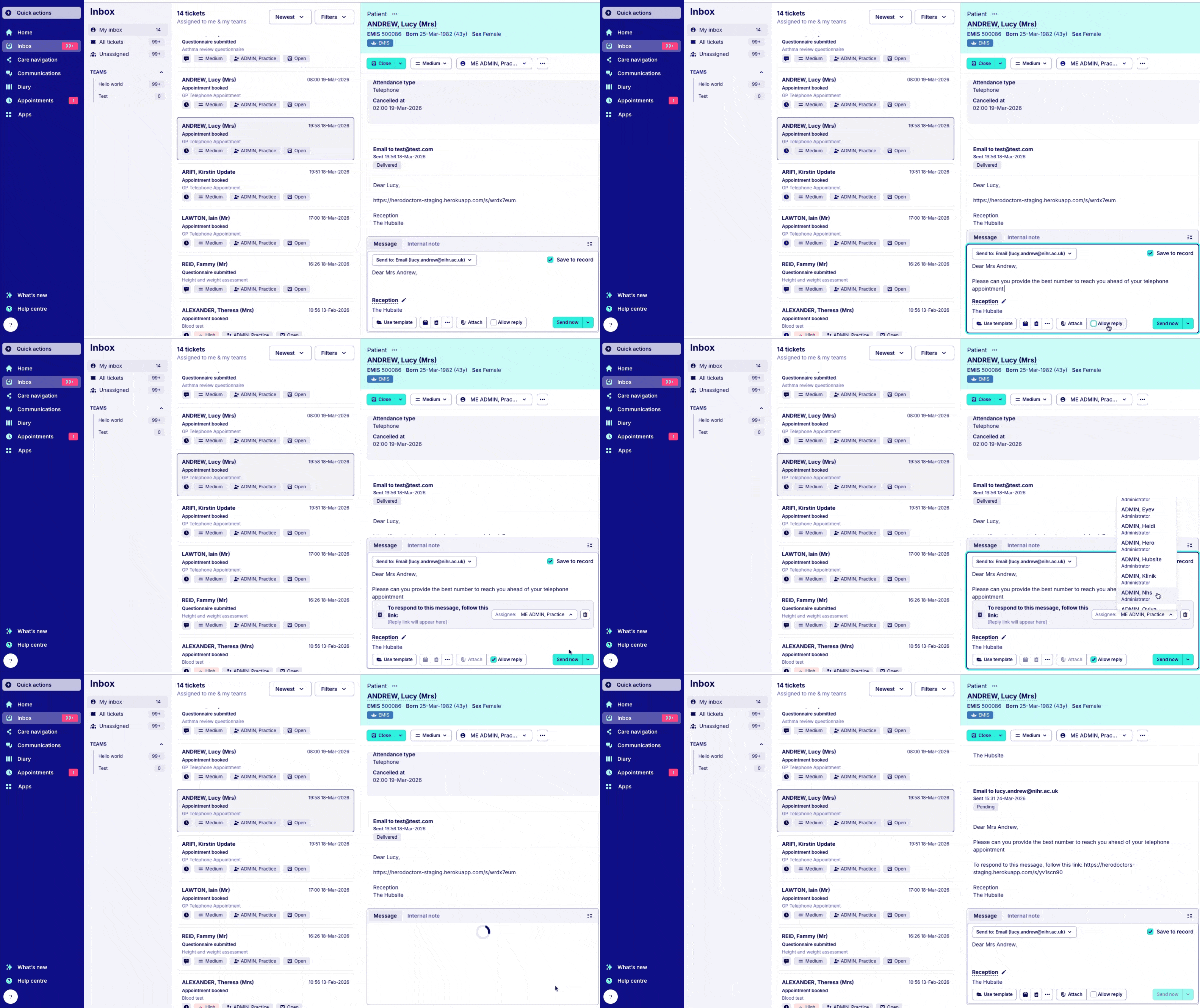
Here's the updated flow from start to finish:
Open an episode in the inbox
The message composer is already there at the bottom of the panel — no button needed to navigate away
Write your message — apply a template, invite the patient to book, or attach a file as needed
Send — you stay in the episode, and the sent message appears in the timeline above
That's it. The previous workflow, where clicking 'Send' would load a full-page builder and remove the inbox from view entirely, is gone.
What's new for individual messaging users
📋 A single, simpler message builder
The tools for building a message have been consolidated into one compact input box. Whether you're sending from within an episode or elsewhere in the inbox, the experience now looks and works the same way.
Clearer link placement: Now when adding a link, we show a box that has an assignee option and a clearer way to remove the link from the message
Preset link text: When adding a link we have preset text to prompt the patient to access the link. Saving you time typing the same label against a link.
Availability window: We’ve added the ability to specify availability windows to your patient booking invitations. When creating a booking link, you can select a date range for the slot(s). This allows you to protect immediate appointment availability and empower patients to book further into the future or only provide slots for the current week. This update gives you more control over how you deliver online booking.
Preview questionnaires: You can now preview the form before sending it to the patient. Simply select the questionnaire link option via the message builder, choose your questionnaire, and you will be shown a preview of the questions before creating the link.
This means less clicking, less switching between views, and a more consistent experience across the board between the inbox and individual messaging.
✅ What hasn't changed
The following are exactly the same as before:
All your existing message templates and content
Contact method options (SMS, email, and NHS App for NHS practices)
Booking and questionnaire links, Attachment support and patient replies
Permissions and access controls
Find out more about how the inbox works here.
For API users
API changes (v2)
Episodes now return real persisted tasks instead of synthetic tasks, and the inbox task payload has been enriched with new fields:
{
  "tasks": [ /* real persisted tasks, not synthetic */ ],
  "inbox_task": {
    "name": "...",
    "assignee": { ... },
    "triggered_by": { ... }
  }
}
New task type: MessageCreated — message-originated actions are now a dedicated, queryable task type.
Link-specific episode behaviour:
Auto re-open episode? | Assignee behaviour | |
|---|---|---|
📋 Form / questionnaire | ✅ Yes (where applicable) | Applies form-flow assignee update |
📅 Booking | ✅ Yes (where applicable) | Applies booking-flow assignee update |
Summary of API-level changes:
Area | Change |
|---|---|
Episode tasks | Migrated from synthetic → real persisted tasks |
Task types | New |
Episode behaviour | Link-type-specific auto re-open + assignee logic |
Admin app | Enriched task payload with |
Public API (v2) | Same enrichment, real tasks returned |
Inbox: Internal notes
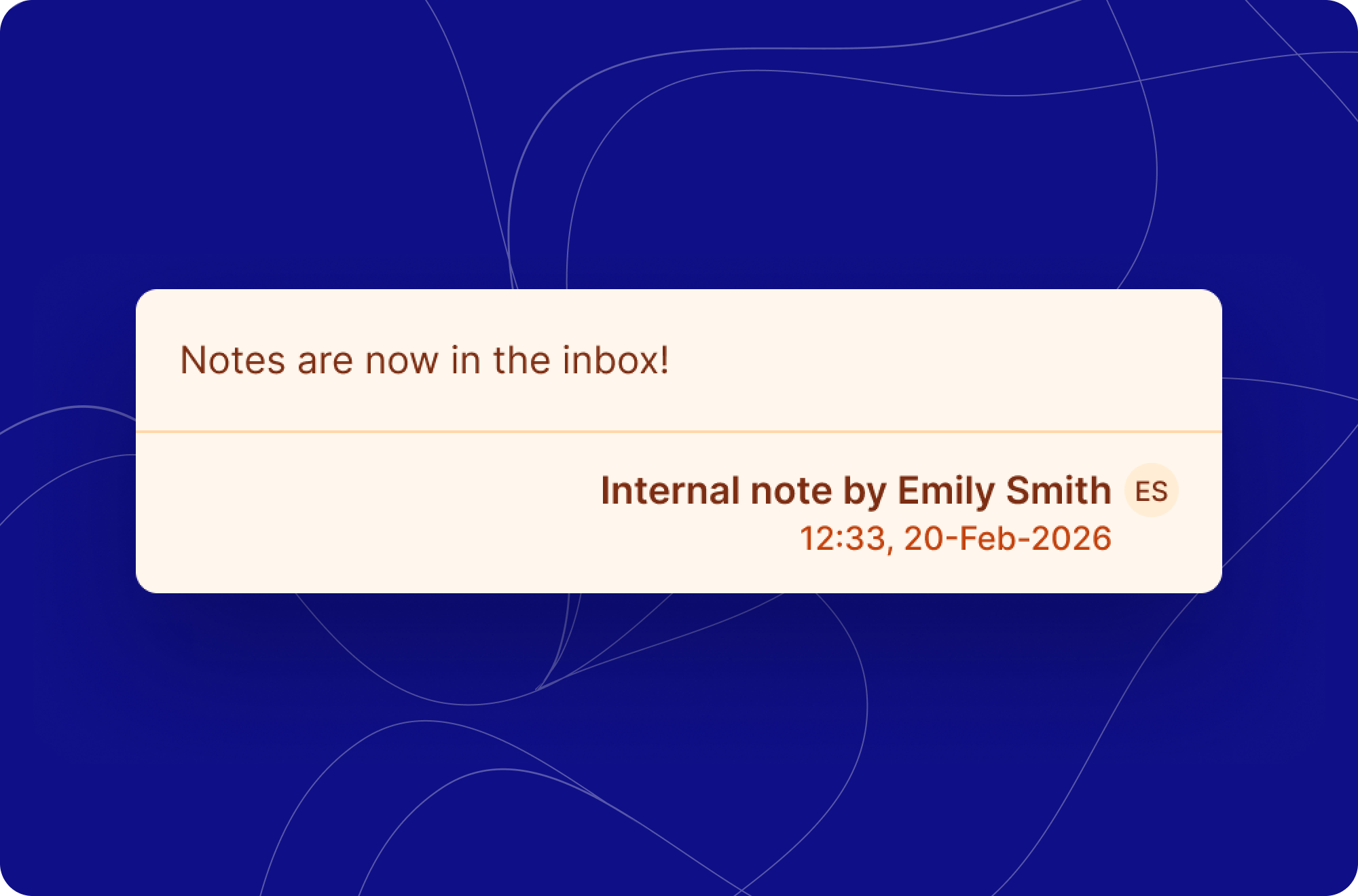
Practice staff can now add internal notes directly within the inbox, making it easier to collaborate across teams and individuals. Whether handing off a conversation or providing additional context for a colleague, internal notes keep that communication in one place without it ever being visible to patients.
Notes are composed within a patient ticket on the inbox, with a simple text area and a clearly labelled "Internal note" toolbar so it's always clear what you're writing. Once submitted via the "Add note" button, the note is saved and attributed to the admin who created it.
What’s changed
To make way for internal notes:
We have moved the Close button to the top of the ticket next to the priority and assignee
You can now send a message by selecting the 3 dots to the right of the assignee button
The New Diary is leaving BETA
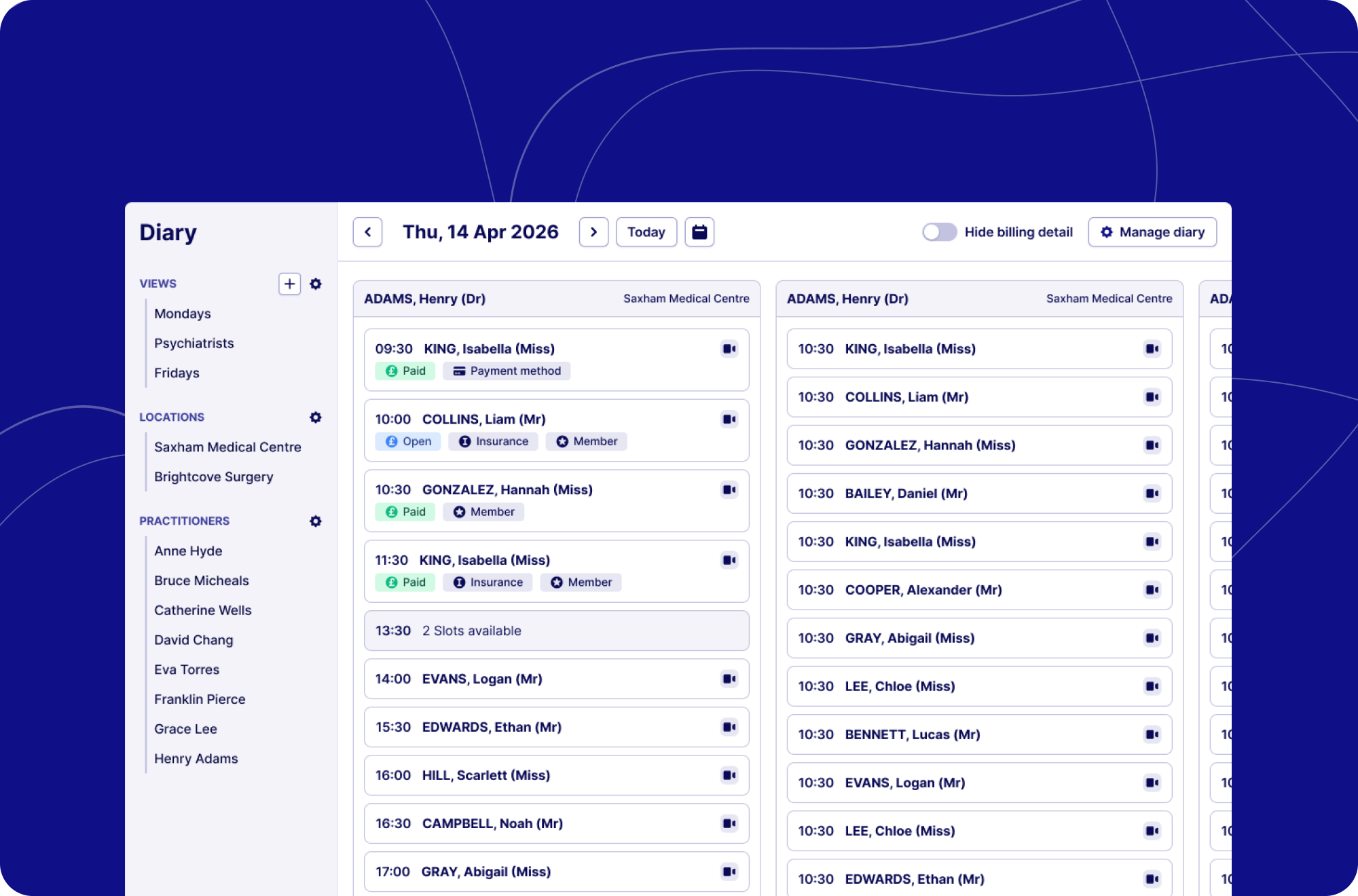
The legacy diary will be retired on 9th March 2026. From that point, the new diary is your diary.
After running successfully alongside the legacy diary and delivering consistently accurate, real-time appointment data, we're making it the one and only diary view for all practices. Thank you to everyone that helped us work out the kinks, your feedback was extremely valuable!
What you need to do before we retire the legacy diary:
Begin using the BETA diary as your primary diary view.
Familiarise yourself with the layout and filtering options.
Let us know if you notice anything that does not look correct.
The new diary offers improved accuracy, better performance, and will form the foundation for future enhancements. We strongly encourage practices utilising the legacy diary to transition as soon as possible.
The new diary will only be available for Practices using EMIS or SystmOne. If your practice user Hero without this, you will continue to use the current (legacy) diary to manage appointments.
What’s new
Clearer availability & bookings
We’ve re-designed the view to prioritise clarity on what’s booked and what’s available. We’ve also restructured the layout to provide clearer labels and flagging so that at a glance, you can see whether a booking is via video or via telephone as well as lots more private practice specific labelling.
Your whole day in one view
When the diary loads, you'll immediately see every practitioner with active sessions or appointments for the day.
Filter by location to get a clear view of who's active where, or drill down into a single practitioner's schedule. It's fast, it's clear, and it's built to grow.
Stripe payments & invoicing
We've just shipped one of the most-requested improvements to the diary: colour-coded badges and labels that tell you everything you need to know about a payment's status, instantly.
Here's what you'll now see on every appointment:
Payment status — colour-coded badges with clear labels for ‘Open’ (Unpaid) and ‘Paid’ invoices give you an immediate read on the billing state for any appointment, no digging required.
Payment method — if a patient has a payment method stored against their default Stripe customer, a badge will indicate this to help streamline your practice payment processes.
Insurance — insurance badges remain clearly visible for any patient with insurance details stored against their account.
Membership status — patients with active or paid memberships have a badge displaying ‘Member’ on the appointment, so your team always knows where they stand.
If you have any questions, please contact [email protected] and we’ll be happy to help.
EMIS sync improvements
We’ve recently made an improvement to our EMIS availability syncing to reduce unnecessary load and improve overall performance and stability. What this means for you:
In most cases, you should see faster and more reliable availability syncing.
As part of this change, we now sync a more focused set of appointment types/slot types, based on what’s needed for booking and availability.
What to look out for
If you notice a specific appointment type/slot no longer syncing correctly/missing availability when it previously did, please let us know so we can check whether that slot type has been filtered out from being synced with EMIS unintentionally.
If something looks missing, please share:
The appointment type/slot type
When you last saw it working
We can then quickly review and, if needed, re-enable syncing for that slot type.
What's next
We will release a second update in the coming weeks, which will allow you the flexibility to turn on the EMIS sync on a slot type by slot type basis via our settings. This means the power is in your hands for which appointment types are synced, with performance increasing if you reduce the number of slot types you’re syncing with EMIS.