
Hero Health changelog
New 'Post to patient' option in prescription builder
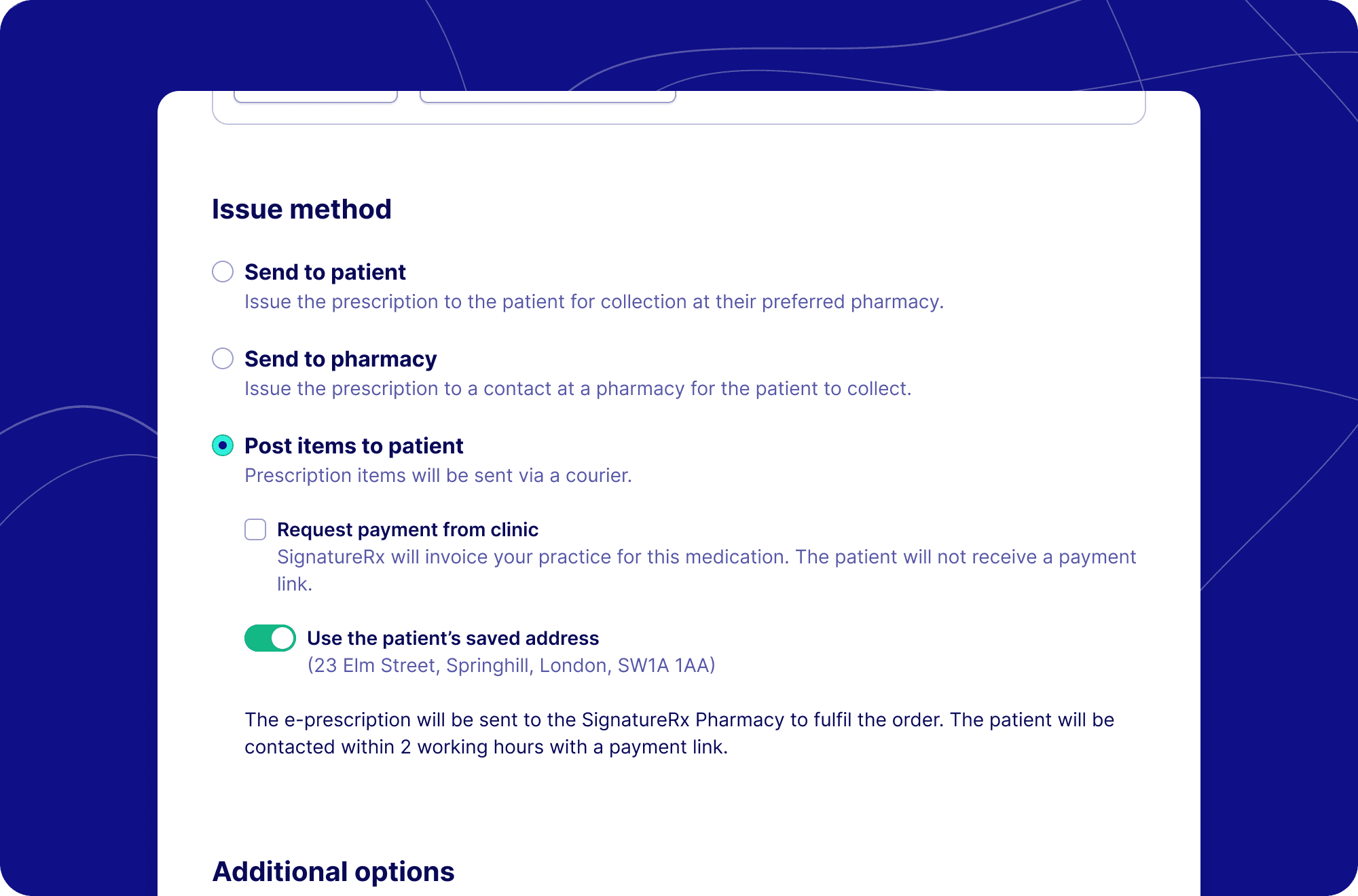
Introducing the new 'Post to Patient' option in our Prescription Builder, integrated with SignatureRx. This new feature streamlines the process of sending prescriptions directly to patients, ensuring a seamless experience for both clinics and patients.
Key Features
Payment options: You can choose for the practice to pay or send a payment link directly to the patient, allowing them to pay for the prescription themselves.
Customisable shipping address: The default address on file for the patient can be modified, or a new address can be manually entered to accommodate specific delivery instructions.
Confirmation and tracking: After submission, a confirmation screen will display the shipping address and status. You can also track the prescription delivery through SignatureRx, which will handle the order fulfillment via courier.
How it works
Click on the 'Post to Patient' issue method.
Choose the payment method: either request payment from the clinic or send a payment link to the patient.
Review and confirm the shipping address. You can either use the address already saved to the patient, search for an address, or manually enter a new one.
iConfirm the details, enter your SignatureRx PIN, and submit the prescription.
After submission, a confirmation screen will display the delivery details, and the prescription will be sent to SignatureRx for courier fulfillment.
Getting Started
This feature is now available to all users with the SignatureRx app within Hero. No additional setup is required - your existing Clinic SignatureRx contacts will automatically be available in the new interface.
For assistance with the Post to patient feature, please contact our support team at [email protected].