
Hero Health changelog
Introducing the new patient dashboard
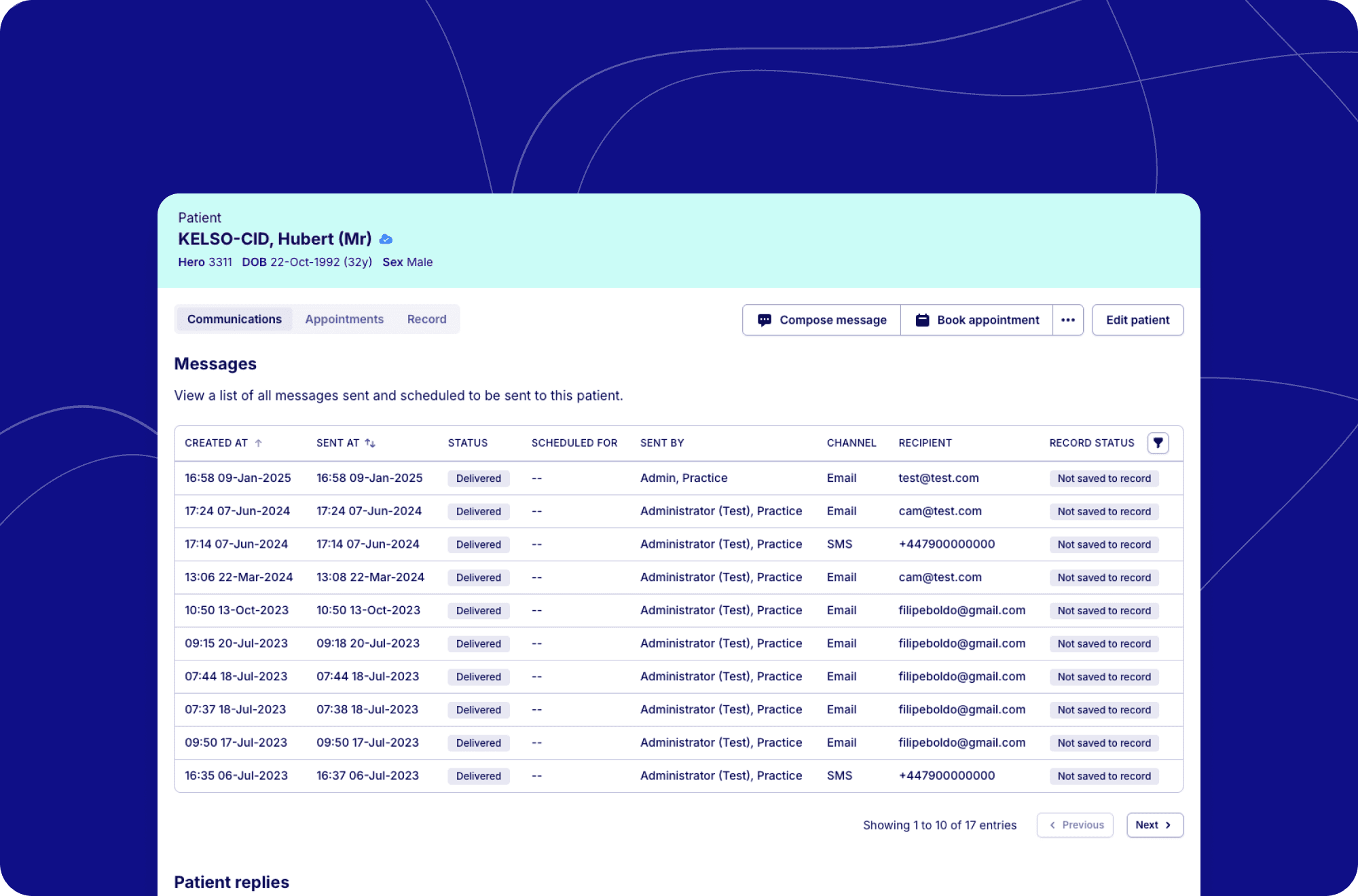
We're excited to annouce our reimagined patient dashboard, providing a comprehensive view of patient interactions and care history. This powerful new interface brings together communications, appointments, and records in Hero into a single, intuitive experience. Designed with practice efficiency in mind, the dashboard enhances your ability to audit patient interactions with table filtering and soon to include clickable rows with detailed accounts of each interaction.
A new way to manage patient information
This new dashboard categorises data by Comminucations, Appointments and record with quick actions that you can jump into to send a message, book the patient an appointment and more.
Within Communications, you'll discover a comprehensive history of all admin initiated messages sent (or failed to send) to the patient. We've enhanced this section with filtering capabilities, allowing you to quickly find failed messages as well as submissions and reples that have failed to save to record.
Explore past and upcoming appointments with the ability to filter by services, locations, and appointment status. Need more details about a specific appointment? Simply click on any entry to view comprehensive information.
You can view records saved from the quick consult tool with expanded detail that includes the consultation summary and any SNOMED codes associated with the note.
What's next?
Our new patient dashboard represents the beginning of a more connected patient management experience. We will be continuing expanding the dashboard's capabilities to include additional interactions and information to provide deeper insights into patient care.
Our goal is to provide an increasingly comprehensive picture of each patient's journey with your practice, all accessible from a single, intuitive interface.
By bringing together communications, appointments, and records into one place, the new patient dashboard transforms how you interact with patient information – saving time, reducing errors, and ultimately enhancing the care you provide.