
Hero Health changelog
Inbox: search by patient
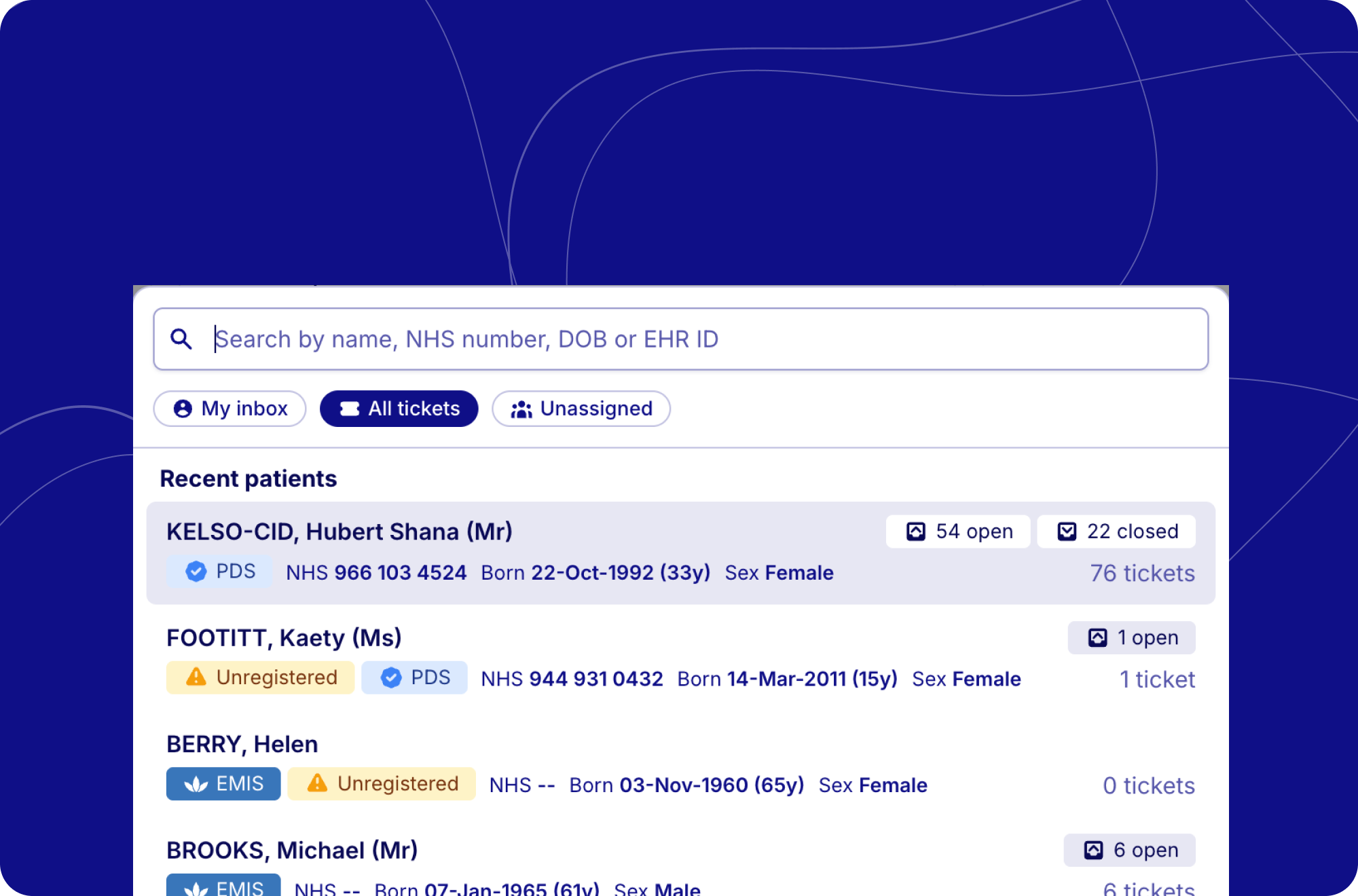
You can now search the inbox for a patient and see all of their tickets in one place. Rather than scrolling through the full queue or juggling status filters, you can find a patient in a few keystrokes and focus on just their conversations.
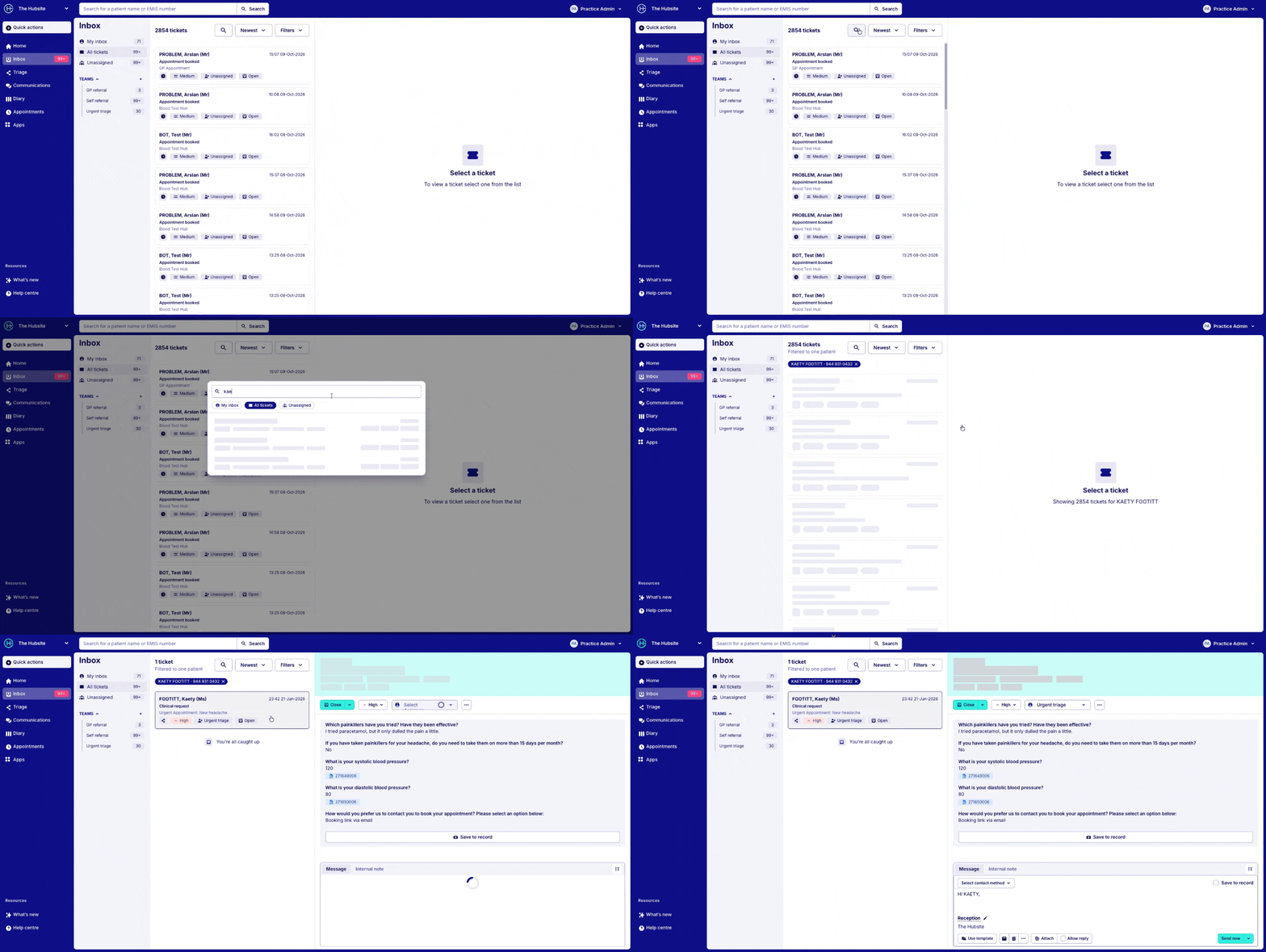
What's changing
There's a new search button at the top of the ticket list, next to the sort and filter options. Select it to open patient search, then search by:
Name (first name and surname in any order)
NHS number
Date of birth
EHR patient ID
Each result shows the patient's NHS number, date of birth, sex and registration details, along with how many open, in progress and closed tickets they have. Choose a patient and the inbox is filtered to their tickets.
When you open search without typing anything, your five most recent patients are listed at the top, so you can get back to someone you were just helping with one click.
Why it helps
Everything for one patient, together. While a patient is selected, the inbox shows their open, in progress and closed tickets together, so nothing is hidden by your usual status filter.
Always clear when you're filtered. A label above the list shows the patient's name and NHS number. Clear it and your previous view is restored.
Clearer guidance when there's no match. If nothing is found, or the search is too short, you'll see what to try next and a quick way to clear the search.
Smoother loading. The ticket list and search results now show placeholders while they load, rather than a spinner, so the page doesn't jump around.
Pressing Escape clears the patient filter, but only when you're not typing a reply or using another menu or dialog, so you won't lose your place by accident.