
Hero Health changelog
Introducing the new Hero inbox
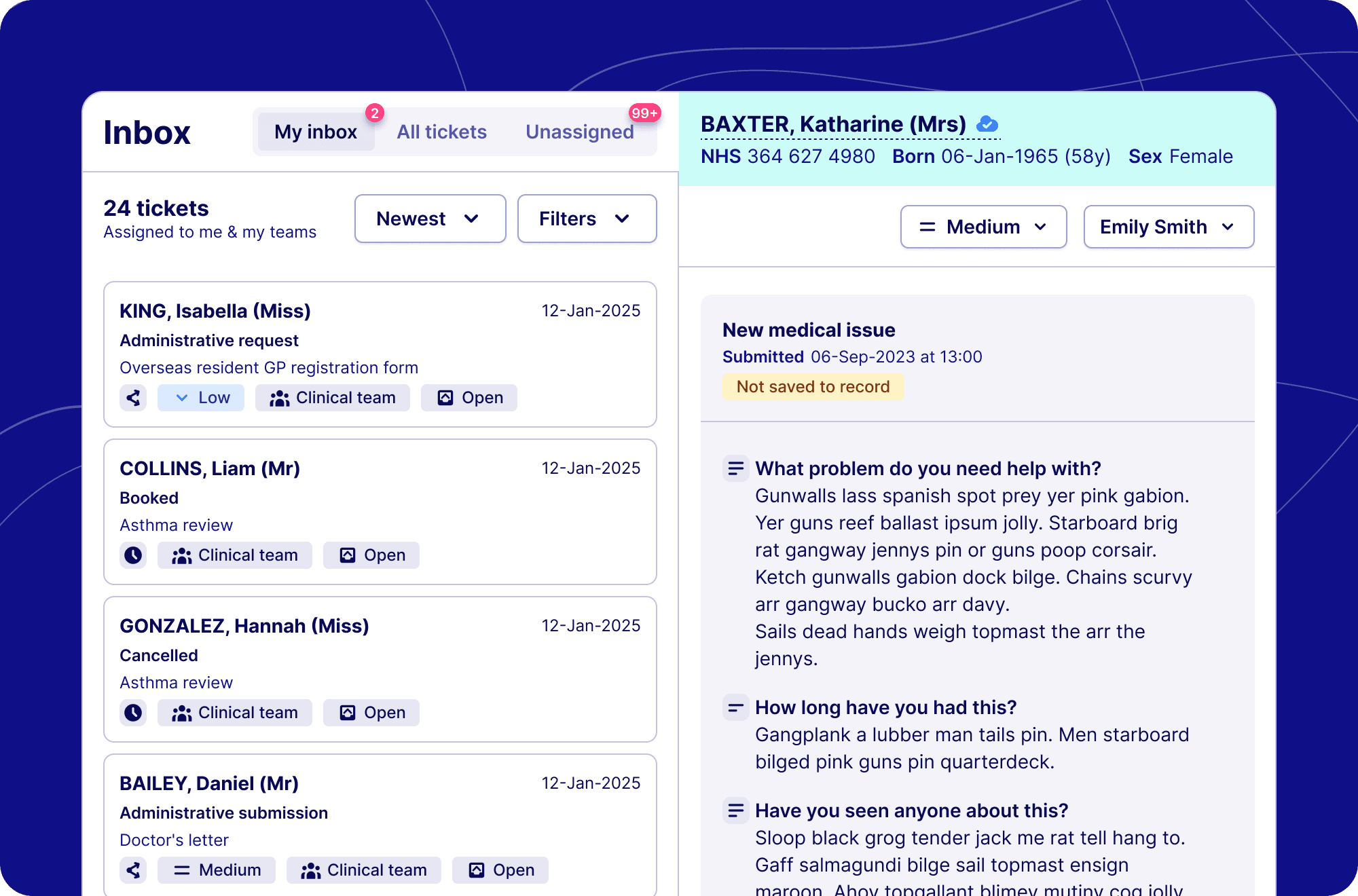
What's new:
Unified engagement hub - The inbox provides you with all the tools to complete 90% of your tasks within Hero, saving you time and ensuring that you can always find what you need.
Dynamic filtering and updates - Quickly and efficiently reassign tickets, bump their priority and provide real-time updates to the rest of your team.
Cleaner interface - We've updated the inbox interface to provide you with better context on a ticket. So you have the information needed to resolve the request.
Faster loading - Through our API driven design we are able to provide you a seamless experience whilst dealing with patient requests
Everything you need in one place - In the new version of the inbox you are able quickly and easily complete appointment actions, save patient intake forms, questions, replies and triage request to record, and respond to patients all in one place
The details
Enhanced workflow management
In the new inbox we optimised our workflow management to ensure you and your team have the tools to safely, effectively and efficiently manage your patient requests.
Better assignment - We've enhanced the assignment functionality to not only allow you to assign specific tickets to different teams and individuals, but we've now introduced the ability to pre-define the assignment of inbound request per request or appointment type → This can dramatically streamline workflow management, ensuring the right people can action request.
Introducing priority flags - A new feature we've added allows you to review tickets and define them by priority, making sure that everyone in the team can work on the most important task first.
Dynamic status changes - Through our new inbox architecture you and your team can work even more collaboratively by marking tickets as in progress or closed → previously team members would need to reload the whole page to see the latest status, but now ticket will dynamically update reducing the risk of duplicate work.
Smart sorting - Depending on you're practice workflows you may want to review older tickets or higher priority tickets first. However your practice works, we've given you the tools to sort your list of outstanding tickets to match the way you work.
Easy access actions
In the previous version of the inbox, the interface made it hard to respond to a patient request or book them an appointment. In the new inbox, these core actions are displayed on all tickets, streamlining the your teams workflow, saving you time and effort.