
Hero Health changelog
The New Diary is leaving BETA
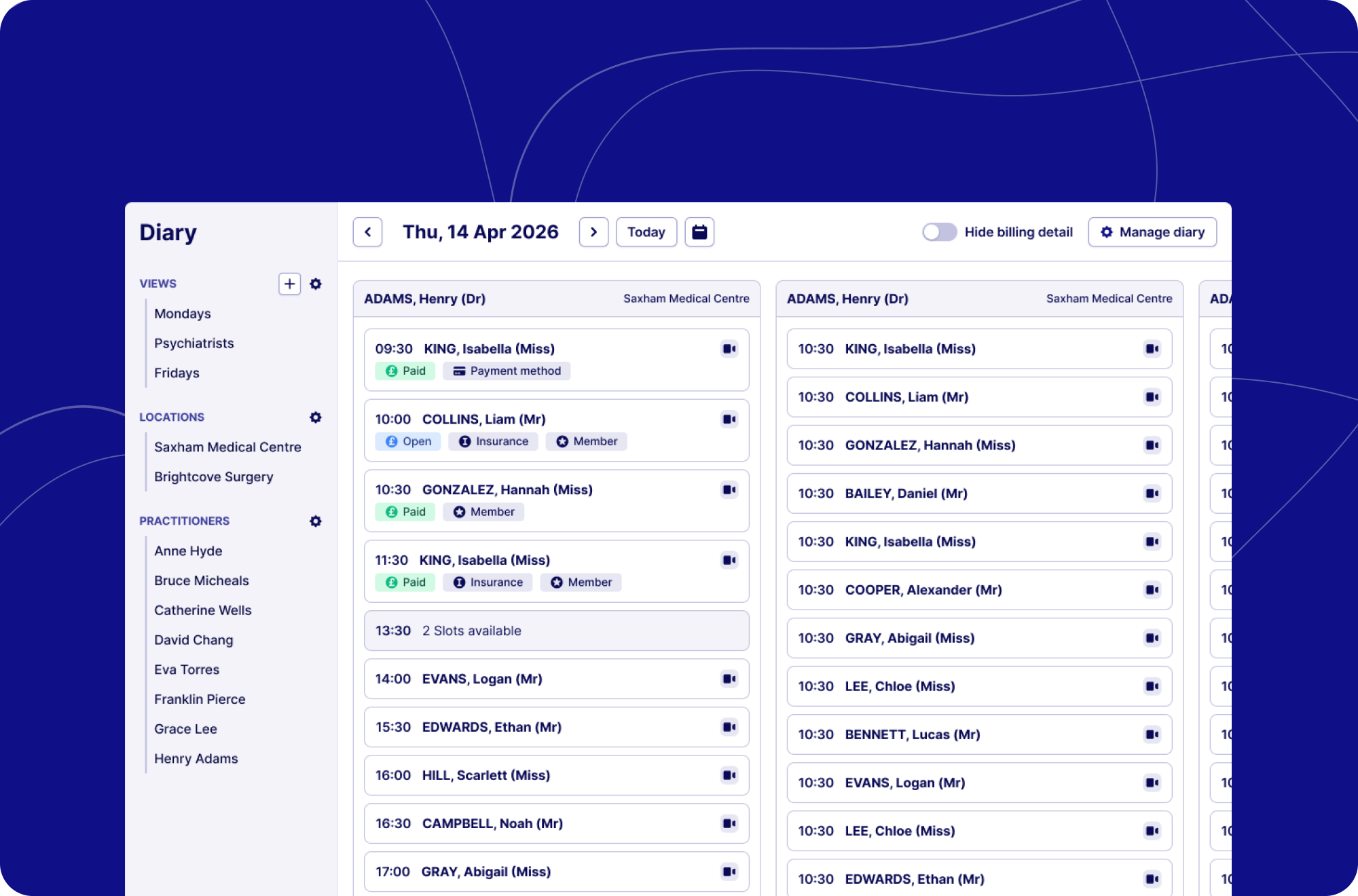
The legacy diary will be retired on 9th March 2026. From that point, the new diary is your diary.
After running successfully alongside the legacy diary and delivering consistently accurate, real-time appointment data, we're making it the one and only diary view for all practices. Thank you to everyone that helped us work out the kinks, your feedback was extremely valuable!
What you need to do before we retire the legacy diary:
Begin using the BETA diary as your primary diary view.
Familiarise yourself with the layout and filtering options.
Let us know if you notice anything that does not look correct.
The new diary offers improved accuracy, better performance, and will form the foundation for future enhancements. We strongly encourage practices utilising the legacy diary to transition as soon as possible.
The new diary will only be available for Practices using EMIS or SystmOne. If your practice user Hero without this, you will continue to use the current (legacy) diary to manage appointments.
What’s new
Clearer availability & bookings
We’ve re-designed the view to prioritise clarity on what’s booked and what’s available. We’ve also restructured the layout to provide clearer labels and flagging so that at a glance, you can see whether a booking is via video or via telephone as well as lots more private practice specific labelling.
Your whole day in one view
When the diary loads, you'll immediately see every practitioner with active sessions or appointments for the day.
Filter by location to get a clear view of who's active where, or drill down into a single practitioner's schedule. It's fast, it's clear, and it's built to grow.
Stripe payments & invoicing
We've just shipped one of the most-requested improvements to the diary: colour-coded badges and labels that tell you everything you need to know about a payment's status, instantly.
Here's what you'll now see on every appointment:
Payment status — colour-coded badges with clear labels for ‘Open’ (Unpaid) and ‘Paid’ invoices give you an immediate read on the billing state for any appointment, no digging required.
Payment method — if a patient has a payment method stored against their default Stripe customer, a badge will indicate this to help streamline your practice payment processes.
Insurance — insurance badges remain clearly visible for any patient with insurance details stored against their account.
Membership status — patients with active or paid memberships have a badge displaying ‘Member’ on the appointment, so your team always knows where they stand.
If you have any questions, please contact [email protected] and we’ll be happy to help.