

Once reminders are on for an appointment type, Hero sends them automatically. Patients can view their appointment from the reminder and, if the appointment type allows it, cancel or reschedule.
Turn on reminders
List your appointment types first. Note how each one is delivered (face to face, telephone or video), which are admin-only, and the DNA rate if you track it. That shows you which types need reminders.
Go to Settings > Appointments > Appointment types (the cog at the top right of Hero).
Find the appointment type and choose Options > Edit.
On the General tab, check Attendance is right (Face to face, Telephone or Video). The reminder wording uses this.
Under Appointment reminders, choose how to send them:
Do not send reminders
Send using NHS App (with fallback): Hero sends to the patient's NHS App. If it isn't delivered, Hero sends an email instead, or a text if there's no email address and you have your own Firetext account.
Send using email: to the email address on the patient's record.
Send using SMS: to the mobile number on the patient's record. Only for practices with their own Firetext account; texts use credits from that account. See Firetext: Get started.
Click Save.
New appointment types don't send reminders until you turn them on.
EMIS practices: reminders only go for appointments Hero can see, so the appointment type must show as Active. See Active and inactive slots.
When reminders are sent
24 hours before every appointment.
30 minutes before: by text, for any type of appointment. By NHS App or email, only for video appointments, because it carries the link to join.
Booked less than 24 hours ahead: the 24-hour point has already passed, so the patient only gets the 30-minute reminder, if one applies.
Earlier reminders (48 hours, 72 hours or 7 days before) are available for some practices. We switch them on for you.
You can't change reminder timing yourself. See Why did a patient get their reminder 30 minutes before, not the day before?
What's in a reminder
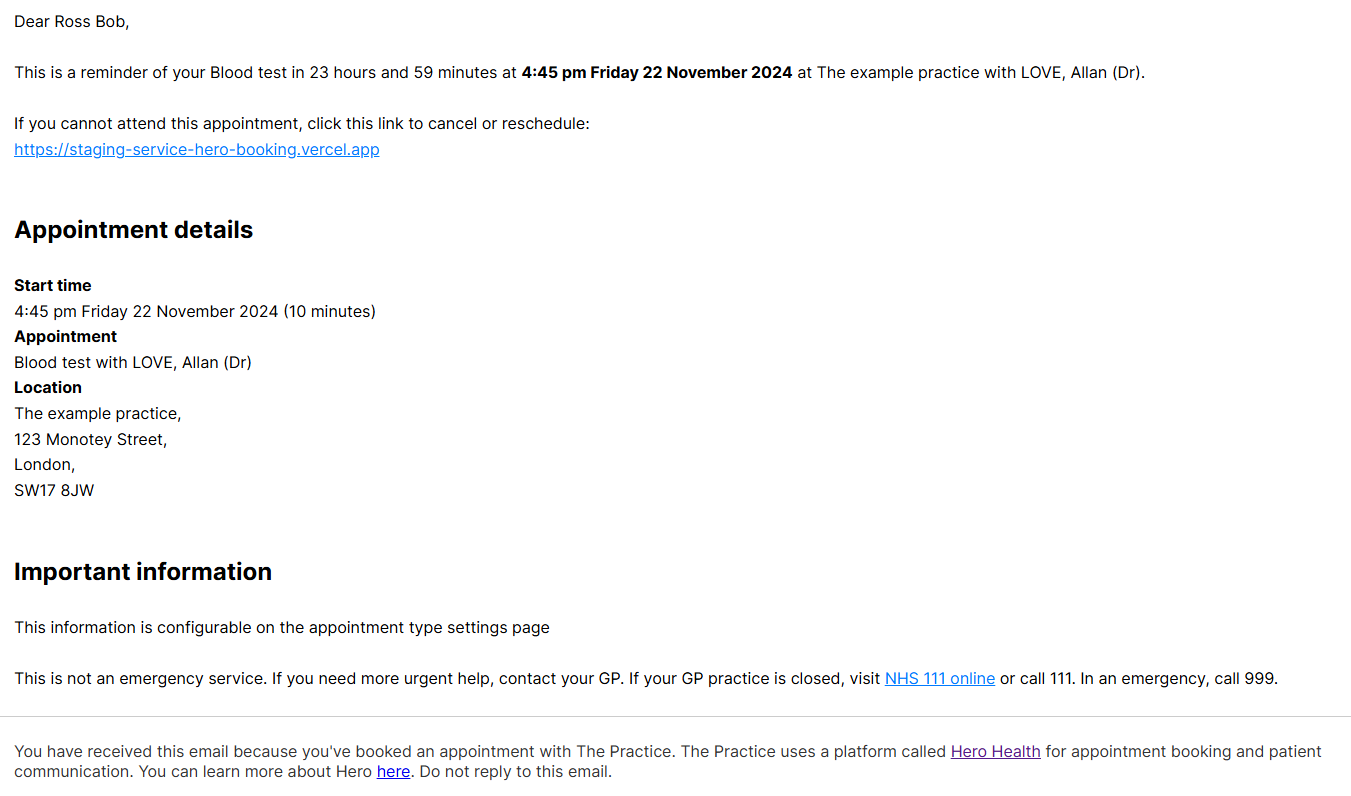
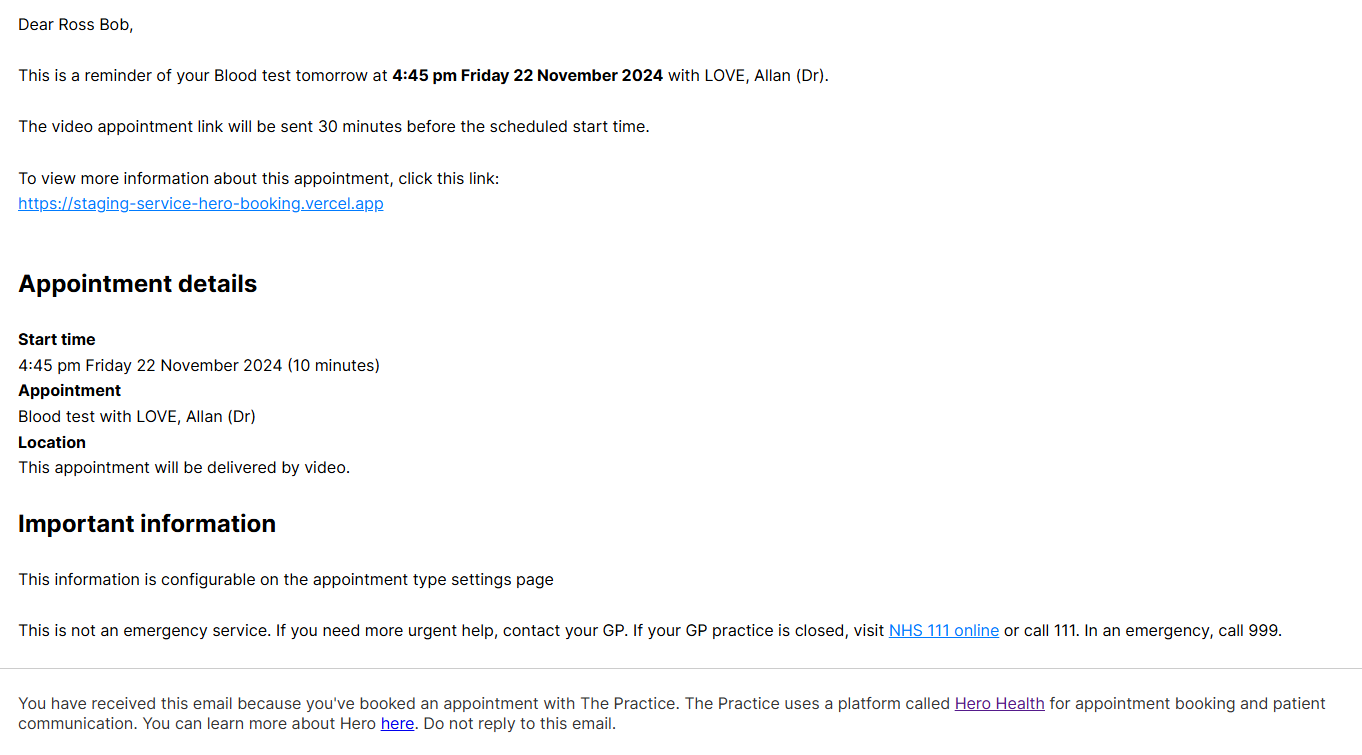
Reminders are written for each appointment. The wording changes depending on:
whether the appointment is face to face, by telephone or by video
whether the patient can cancel or reschedule (see Cancellation policy)
whether the appointment type has a confirmation message
Example: face-to-face appointment the patient can cancel or reschedule
Example: video appointment that can't be cancelled or rescheduled
Cancelled clinics
If you cancel a whole session in EMIS rather than the individual appointments, Hero may not hear about it and patients can still get reminders. Cancel each appointment first, then remove the session.
When to contact us
Use the support form, with an example appointment, if:
reminders aren't going out for an appointment type that has them turned on
patients get reminders for appointments you cancelled
you want reminder timings changed