
Book an appointment
Learn how to use the Hero diary to book an appointment on behalf of a patient.
Within the Hero platform, you are able to book appointments directly into the diary on behalf of a patient.
Once you are in the diary view, click the +Create booking button or click into the slot that you wish to book. This will open the booking modal. From here you:
Find the patient you want to book for
Select the relevant appointment, location and practitioner
Select your preferred time
Complete any intake forms
Add a reason for the appointment
For private practices with our Stripe integration turned on (and with a fee setup for the appointment, in the appointment settings), you can optionally raise an invoice and collect payment.
Reschedule or cancel an appointment on behalf of a patient
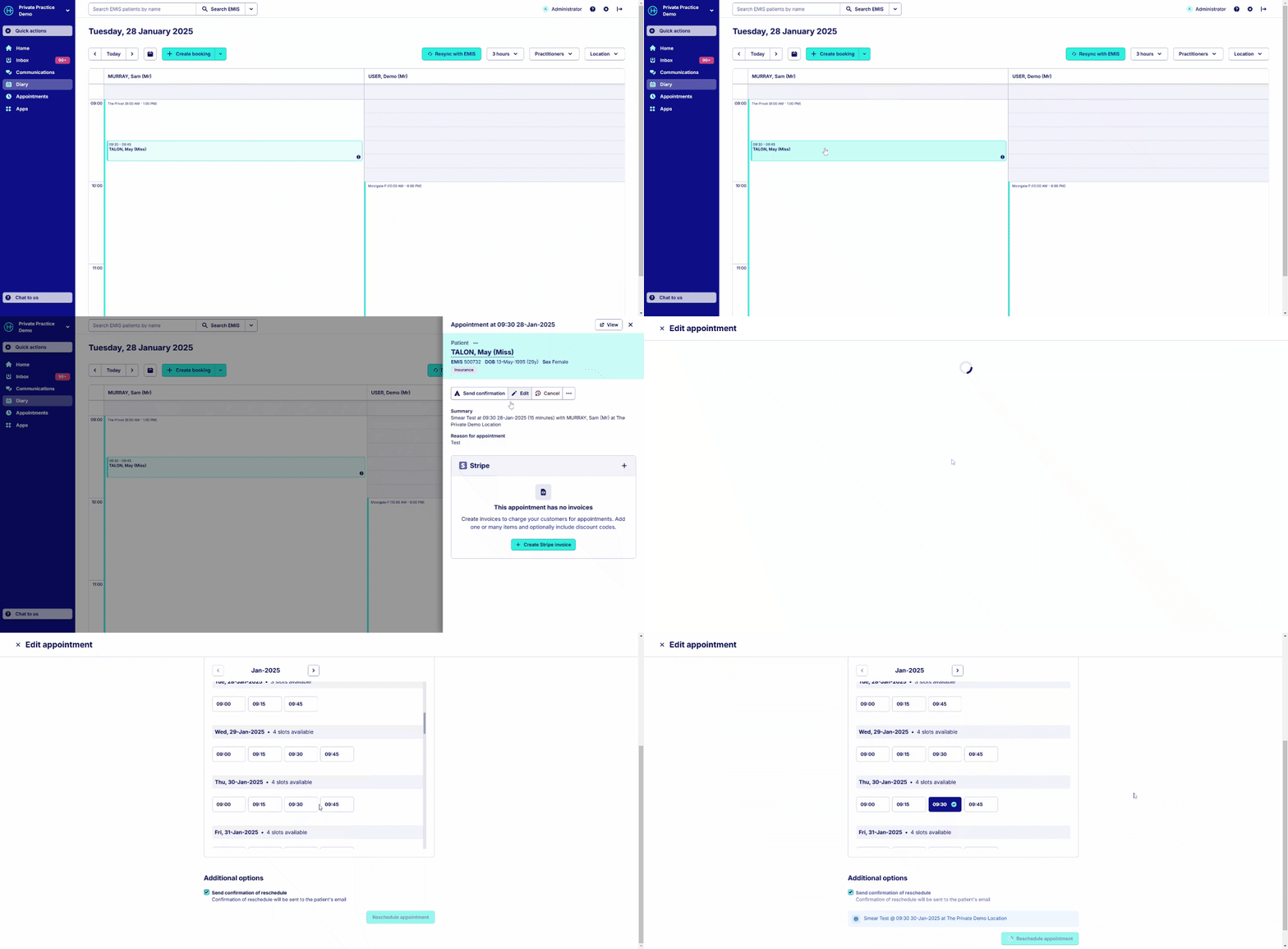
To reschedule or cancel an appointment on behalf of a patient:
From the patient's dashboard - Click the 3 dots next to the appointment you want to adjust, and then click 'Edit' or 'Cancel'
From the appointment page - Click 'Edit' to reschedule or 'Cancel'
From the diary - Navigate to the appointment you would like to cancel or reschedule and click on it. Then click 'Edit' to reschedule (or adjust the appointment type) or 'Cancel'
Was this helpful?