
Stripe: Customers
Updated over a year ago Learn how to store a credit or debit on a customer account
Invoice an organisation on behalf of a patient
Step 1: Add the organisation as a customer in Stripe
Log in to your Stripe instance.
Navigate to the Customers section.
Click Add Customer and enter the organisation's name.
Provide the email address where invoices should be sent.
(Optional) Add any other necessary billing information.
Save the customer details.
Step 2: Create an invoice for the organisation
Open Hero and find the patient, appointment, or service that needs to be invoiced.
Go to Stripe and create a new invoice.
By default, the system may set the invoice recipient to the patient or another individual.
Uncheck the default customer selection.
Search for and select the organisation you just created.
(Optional) If this organisation will regularly be billed on behalf of this patient, set them as the default.
Proceed as usual to add the necessary items to the invoice.
Finalise and raise the invoice or save a draft.
Customer balances
Stripe provides functionality to store a credit or debit balance against a Stripe customer. This credit or debit balance is then applied to the next invoice raise for the customer.
For example, Mr John Deer is unable to attend his pre-paid appointment late notice. Rather than refunding him (and risk being out of pocket), the practice chooses to store the pre-payment as an invoice credit. This invoice credit will then be deducted from Mr Deer's next invoice.
When to use customer balances
Customer balances can be used to store:
Debit - This would be where a Stripe Customer owes you for a service, and you agree to collect the debt next time they use your service. An example might be where you post an item to a patient, and agree to add the postal charge to their account.
Credit - This would be where you owe the Stripe Customer, for example, when a patient returns an item that has been paid for (such as a home blood test kit), and rather than providing a refund, you store a credit for future use
How to use customer balances
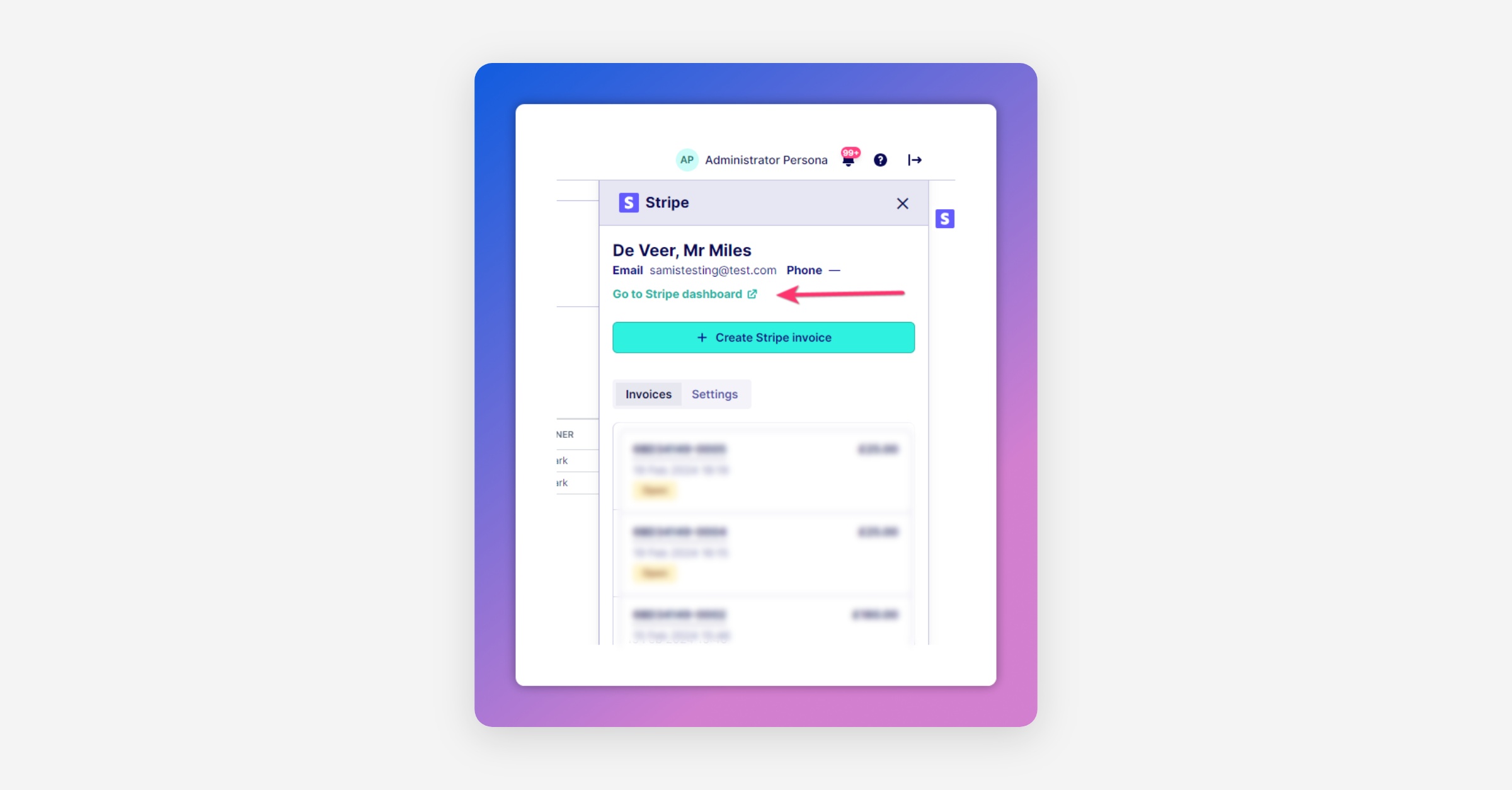
To add a customer balance, go to the relevant customer dashboard within Stripe. This can be accessed either within Stripe itself (by searching for the customer), or by clicking "Go to Stripe dashboard" on the patient's Stripe App Toolbar:
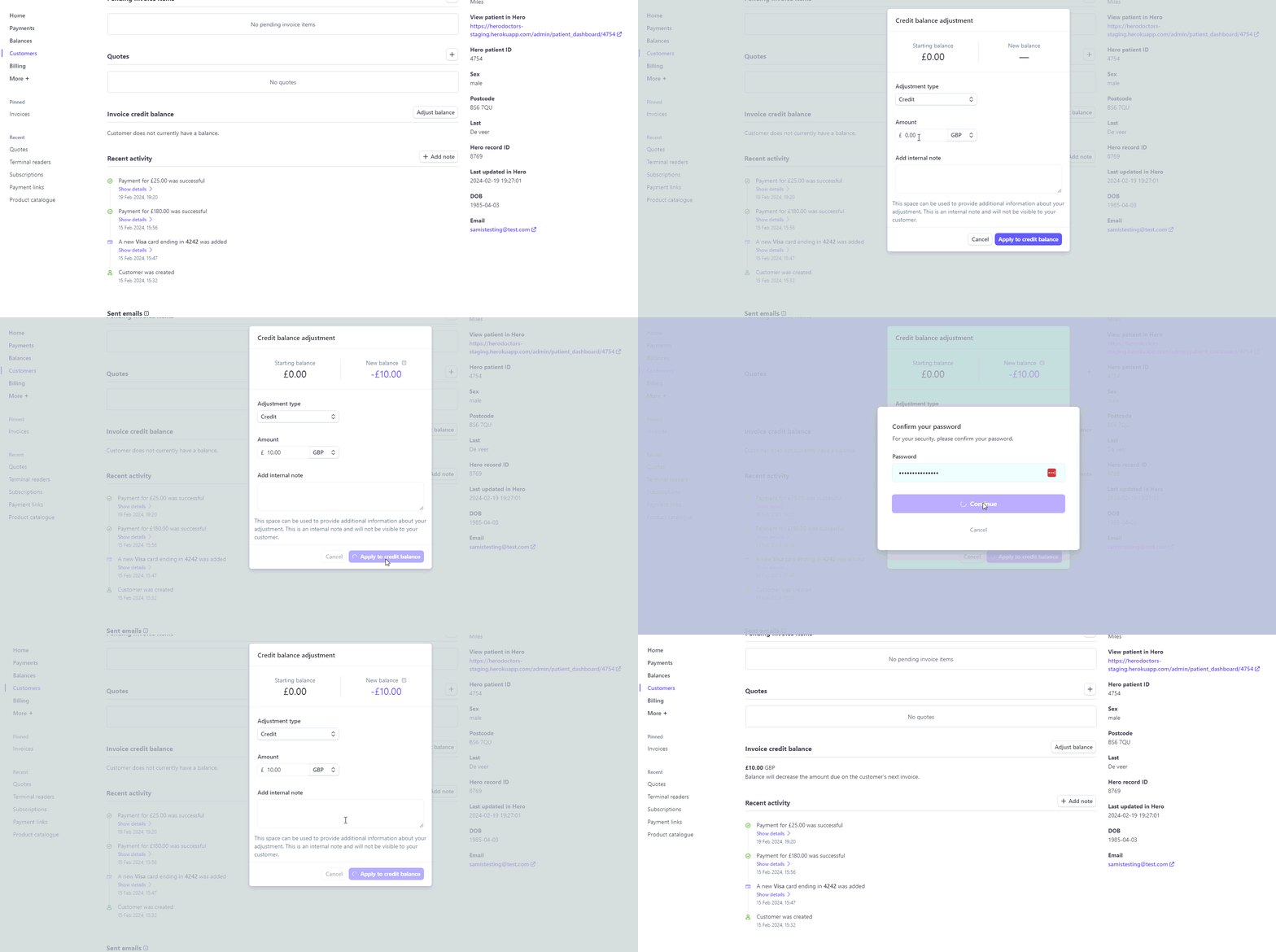
Once viewing the Stripe Customer dashboard, you can add a customer balance by scrolling to "Invoice credit balance" and then selecting "Adjust balance":
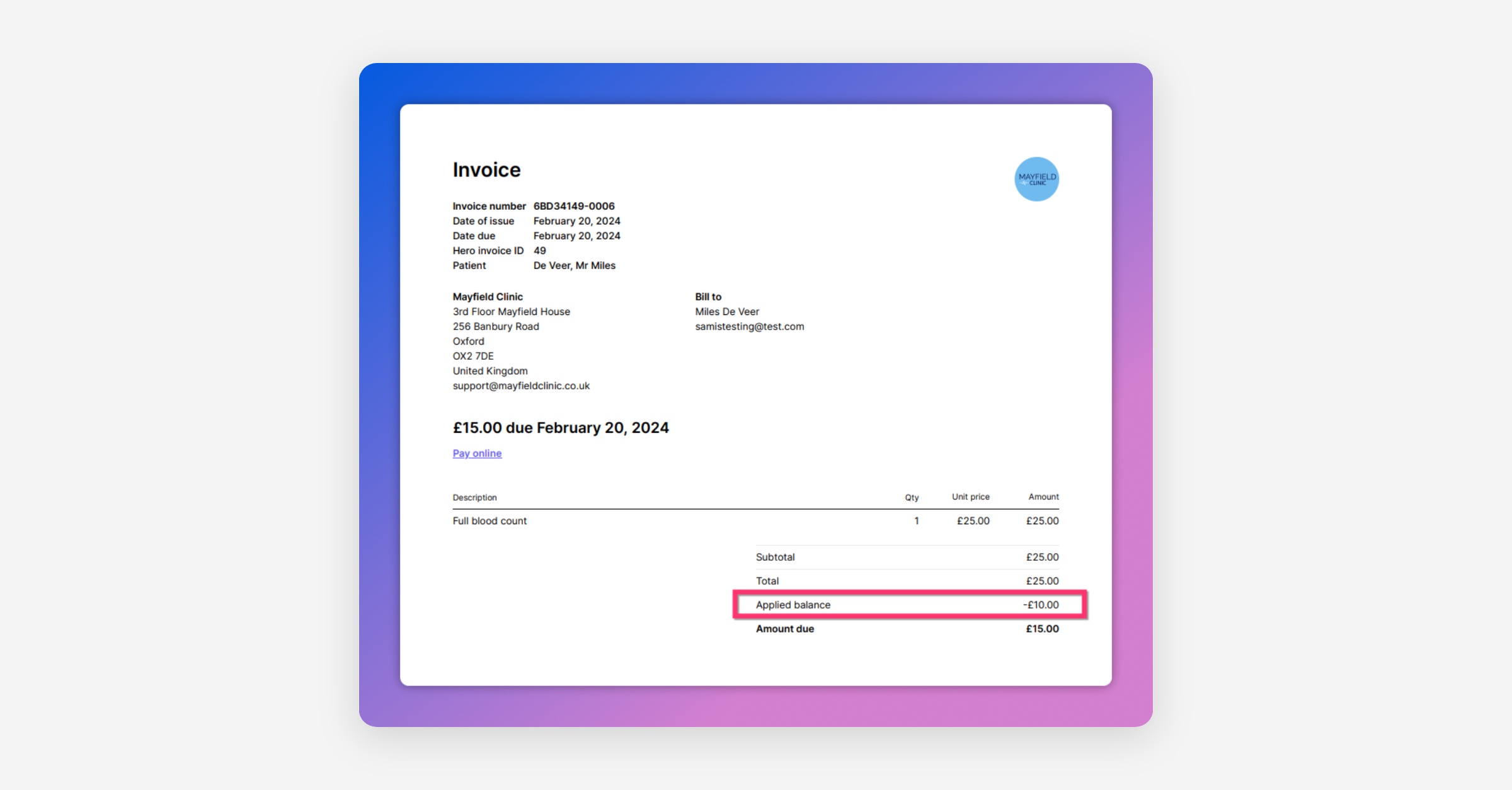
Once you've added a credit or debit, this will automatically be applied to the next invoice issued to the Stripe customer through Hero:
Was this helpful?