
Pathways
Learn how to add a new care navigation pathways or edit an existing pathway.
Once you've understood what Pathways & Care Navigation Options are (see this article), you can start to configure your Care Navigation.
How to configure Pathways
Your Hero instance will come with a selection of pre-configured Pathways. You can choose to edit these pathways, by selecting the Edit button, or you can Add a new pathway.
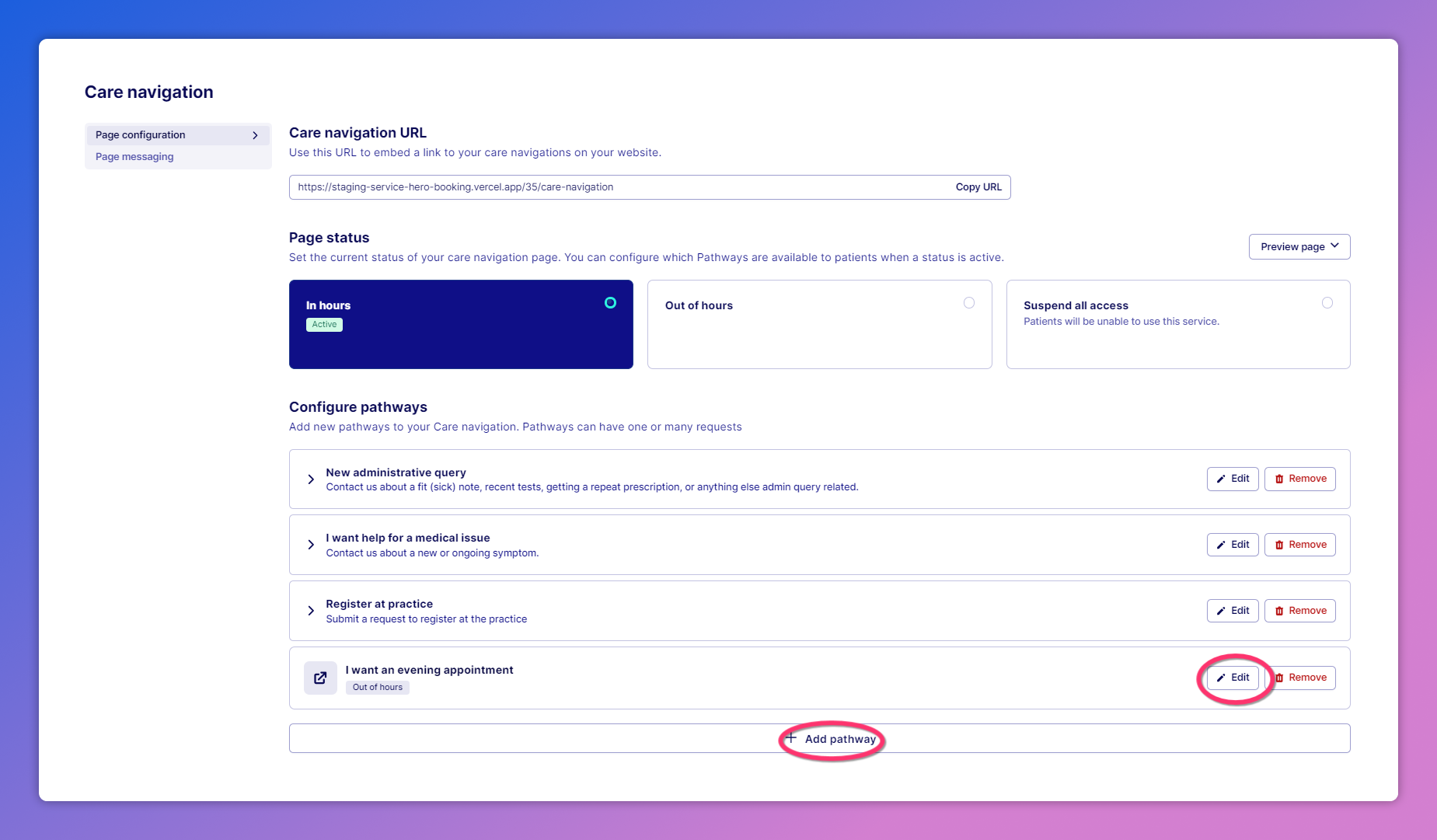
What can be controlled when configuring a Pathway
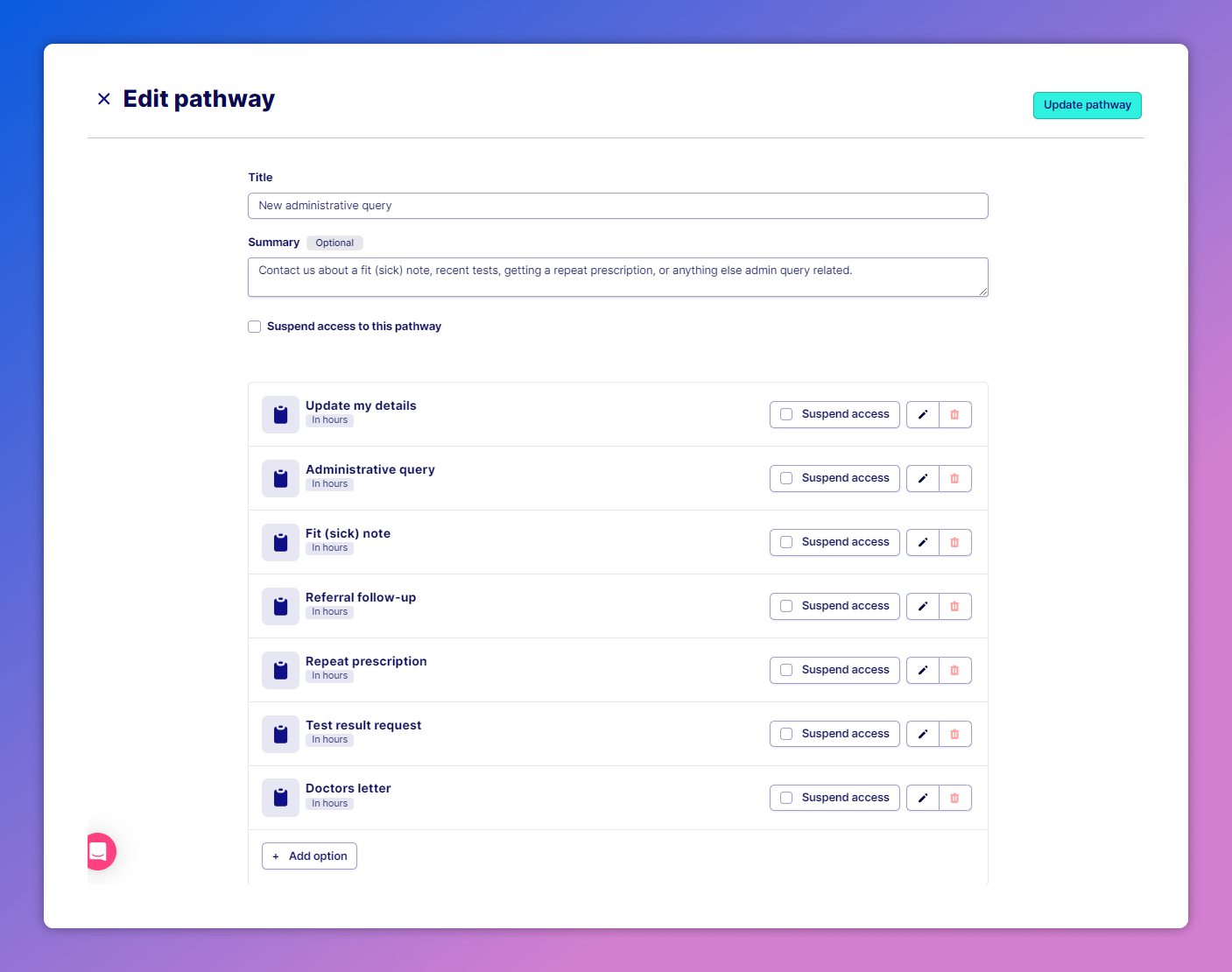
When you edit or add a new pathway, you can configure:
The Pathway name - This is what your patients will see when first engaging with your Care Navigation online
The Pathway summary - This is a description of the Pathway, also visible to patients online
Whether the Pathway is active or suspended - If the Pathway is suspended, it will not be visible to patients online. When a Pathway is suspended, all Care Navigation Option types are also suspended
The Submission types associated with the Pathway - You can add new Care Navigation Option types (click 'Add option'), edit existing Care Navigation Option types (rename, suspend, and adjust whether it is visible in hours, out of hours, or both)
What does a suspended Pathway look like
When a Pathway is suspended, a 'Access suspended' tag will be showed against the Pathway on the overall page configuration page:
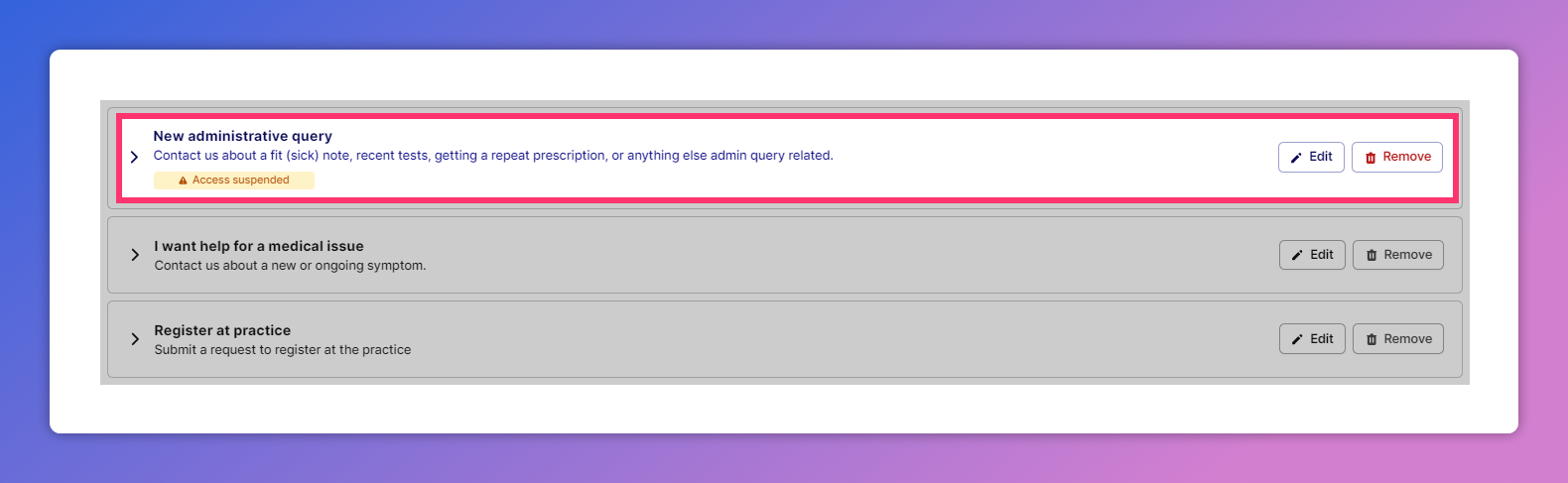
Suspended pathways are not visible to patients visiting your Care Navigation page. To remove the suspension, click 'Edit' and untick 'Suspend access to this pathway'. Note: A Pathway will also show as suspended if all individual Care Navigation Options in the Pathway are suspended.
Was this helpful?